RAGDOLL SYSTEM
Description
The ‘Ragdoll’ system is designed to allow any character (Skeletal Mesh) to be given the blueprint component ‘BPC_RagdollSystem’ and grant them the ability to ragdoll, recover, and physically react to their environment.
Key Features
Start Ragdoll
By triggering the ‘StartRagdoll’ function the character will begin to simulate all of their physics bodies and collapse to the ground. If any of their bodies collide with another object at enough of a force then an ‘OnBodyHit’ event dispatcher containing that collision information will fire, aiding in the designer’s ability to correlate events such as damage or SFX with the specific physics body impact.
Get Up From Ragdoll
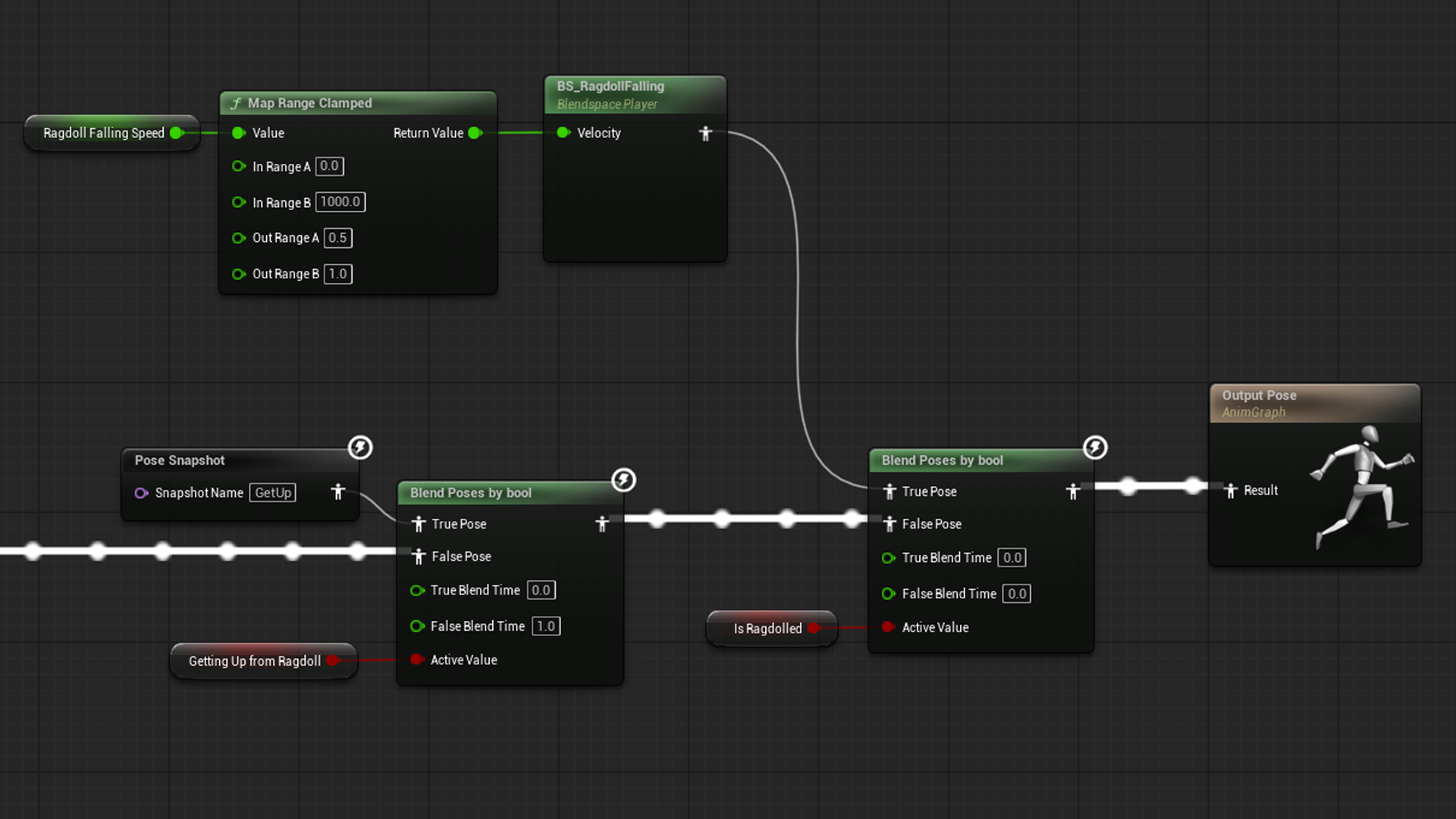
By triggering the ‘StopRagdoll’ function the character will begin to blend from whatever mangled pose their bodies are in, and smoothly blend into a “Get Up” animation to bring themselves back to an upright pose; with the animation differing if the character is face up or down with the ground. Additionally, there is a setting to have ‘StopRagdoll’ automatically run when the ragdoll is considered to be in a “stationary” state on the ground, allowing for the character to automatically recover themselves after being ragdolled.
Flailing
While a character is actively ragdolled and “airborne”, their velocity will be tracked and used to adjust their physics bodies orientation strength and animation to give them the appearance of “panicked flailing” while falling or being maneuvered around.
Grab Environment
While a character is actively ragdolled and “airborne” they will perform a check of their environment and attempt to reach out towards any grabbable surface to catch themselves. Similar to how the ‘Clone Troopers’ in ‘Star Wars: The Force Unleased’ will hold on to the environment in an attempt to resist the player ‘Force Grabbing’ them. This feature is still in its “experimentation” phase.
Active Ragdoll
When ‘Active Ragdoll’ is enabled, the character will have its bodies “partially simulated” while outside of ragdoll. What this allows for is the characters bodies to collide with the environment as they perform animations or respond to physics objects colliding with them.
Implementation
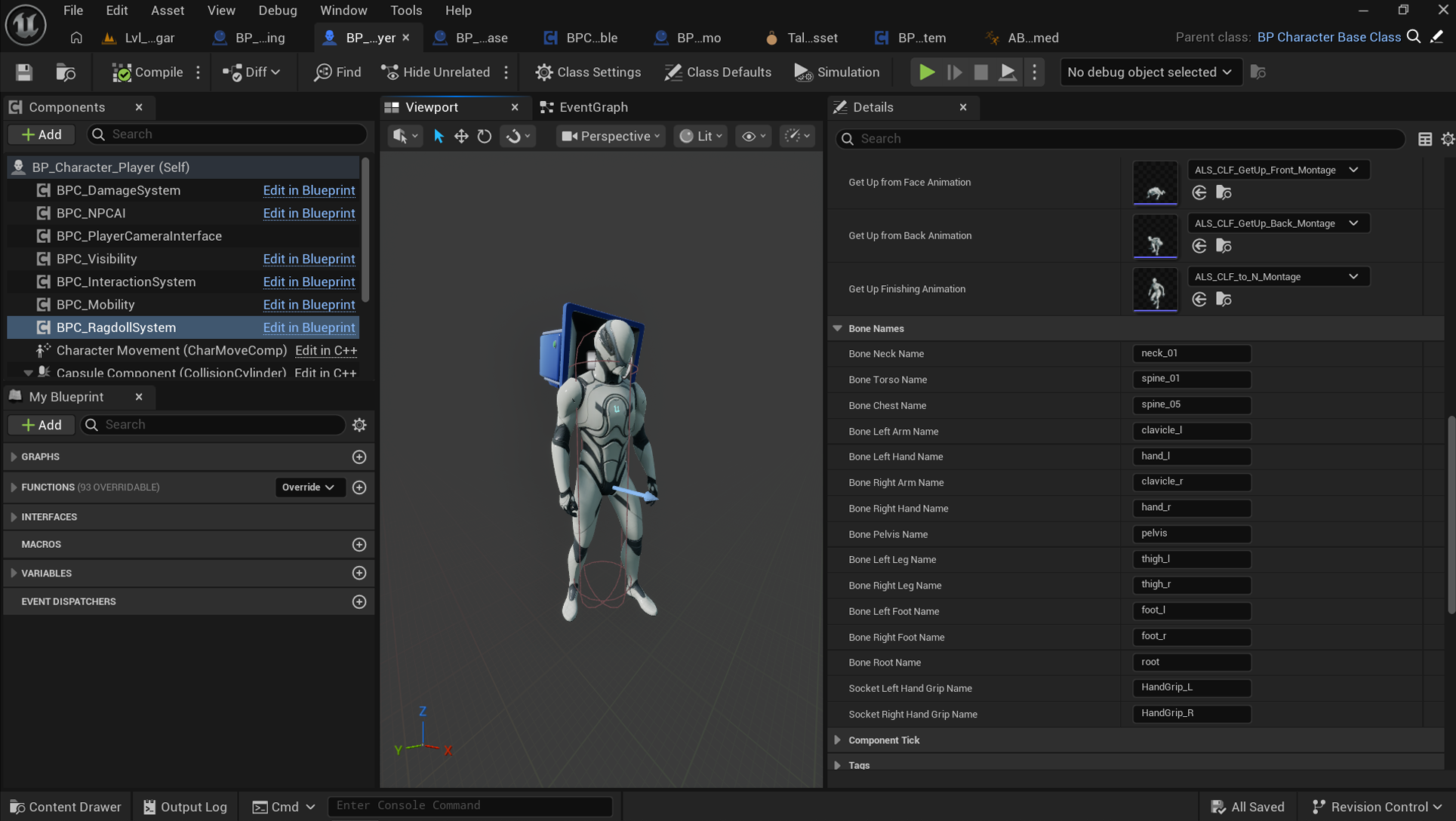
Inside the ‘BPC_RagdollSystem’ details panel the recovery animations need to be assigned and the bone name variables must be set to the relevant bone names of the character’s skeletal mesh. Their ‘Animation Blueprint’ also needs to have a ‘Pose Snapshot’ and ‘Blendspace’ added at the end of their ‘Anim Graph’ for the seamless “Get Up” and “Flailing”, as well as binding to the ‘BPC_RagdollSystem’ event dispatchers.