



‘Questknight’ is a simple 3D adventure platformer in a retro art style being developed in Unreal Engine 5.4.4. The player is a meek hero in a mystical world, with high agility and modest combat ability. Players must explore areas in search of dungeons from which evil creatures terrorize the land.
‘Questknight’ is being developed by the team of ‘Hivemind Labs’ where I contribute as their Lead Programmer. My involvement with this project started in August of 2025.
This project is still very much a work in progress and every element of the games progress seen within the dev logs and scrum reports is subject to change.
Latest Dev Logs
Scrum Reports
09/09/2026
CURRENT TASK(S) UPDATES:
AIC & Skeleton Knight
AIC_NPC_Base
Behaviors
Debugging multiple issues with faction based fighting, primarily with ensuring once their attack target was killed that they would acquire a new one (if available) or acquire their teammate's target (if only their teammate is visible to them).
Also attempted to fix some edge cases where the 'Skeleton Knight' will put their weapon away and animate as if they entered combat for the first time. Many of these cases were corrected, but some still continue to pop up.
If an NPC is in combat with a character, but takes damage from a different character, they will change their target to the character that dealt them damage last.
Attacks
Replaced with the default 'Cooldown' decorator with a custom 'Attack Cooldown' timer. This was needed since the default 'Cooldown' decorator doesn't allow for random variation.
Skeleton Knight
Animation
Updated the 'AS_SkeletonKnight_Strafe_ForwardLeft' for its combat blend space.
09/08/2026
CURRENT TASK(S) UPDATES:
Orbat
Orbat
Behaviors
'Orbat' is now capable of performing its 'Diving Bite' attack, this has them launch into the air and start a spinning dive that damages any characters in its way.
'Orbat' "Diving Bite" attack was moved out of 'BPC_Attack' and into the 'BP_NPC_Orbat', this was done as the attack required much more unique and custom code than would have been appropriate in a shared system like 'BPC_Attacks'.
'Orbat' can now fly and path to any location, previously it was constrained to a relatively low height due to the nav mesh.
'Orbat' has its animation briefly paused and unpaused randomly at 'Begin Play' to prevent swarms of 'Orbats' from flapping in sync.
09/03/2026
CURRENT TASK(S) UPDATES:
Wall Jumping & Enemy
BPC_Mobility
Wall Jumping
Integrated the new animations into the 'Wall Jumping' system.
Orbat (Flying Bat Enemy)
Created the new enemy BP_NPC_Orbat and integrated their animations with the expected BP_Character_Base triggers and systems.
Designing behaviors and movement for a flying character. A great deal of time is going into figuring this out specifically.
Designing the Rise, Dive, and Bite of the 'Orbat'.
09/02/2026
CURRENT TASK(S) UPDATES:
BPC_Attacks & User Interface
BPC_Attacks
Combo Attack
'Combo Attack Stage' now resets if an attack animation finishes or is interrupted. This should make it much easier to perform combos without having to perfectly time inputs.
Dash Attack
'Dash Attack' now counts towards the 'Combo Attack Stage', letting subsequent attacks start at the next stage rather than repeating the first initial thrust animation.
User Interface
Created a new 'Button' widget that is to be used for each menu (aside from the pause menu). This allows the format to stay universally consistent and makes it incredibly easy to edit them globally. Each menu has had these new 'Button' widgets implemented.
The 'Main Menu' scene has been updated to match closer to the current concept art for it.
09/01/2026
CURRENT TASK(S) UPDATES:
Wall Jumping, BPC_Attacks
BPC_Mobility
Wall Jumping
Patched a bug with 'Wall Jumping' failing when a jump occurred EXACTLY at the edge of the sphere trace.
Slowed down 'Wall Jumping' while maintaining the original height gained from each jump.
BPC_Attacks
Combo Attack
The 'Lunge' from the first attack in a combo has been removed. Allowing the first attack to be stationary.
Trying to improve the combo system and combo window.
08/31/2026
CURRENT TASK(S) UPDATES:
Air Dash, Attack Tokens, Noise Events, Knockback
BP_Character_Base
Air Dash
Completely reworked the 'Air Dash' system so both the duration and distance could be edited as separate variables.
Previously the system relied on 'Launch Character', now it is using a system that sets the actors location over a set amount of time.
Implemented the new trimmed 'Air Dash' animations.
Patched a bug that was causing 'OnSuccesfulLanding' to fire multiple times if landing on top of another character.
If the character 'Air Dashes' into a wall, then the 'Air Dash' will end.
AIC_NPC_Base
Attack Tokens
When an NPC wants to make an attack against another character, they will first have to check if that target character has enough 'Attack Tokens' stored. If they do then that NPC will take that character's attack token and hold it for as long as they're making an attack, once they're finished they will give it back. By default characters have '1' 'Attack Token' and attacks only cost '1' 'Attack Token'. However, if a character instead had '2' 'Attack Tokens' then 2 seperate NPCs could make an attack against them at the same time.
Attacks are now made with 'BT_Subtree_AttemptAttackAgainstTarget' which contains the 'Attack Token' and universal attacking behaviors. This has been assigned and tested for both the 'Skeleton Knights' and 'Zombies', however the 'Angry Frogs' were not given 'BT_Subtree_AttemptAttackAgainstTarget' due to their normal behavior already making their attacks being quite hindered.
Noise Events
NPCs will now 'Report Noise Event' when spotting a hostile, any nearby 'Passive' friendly characters will then 'Investigate' the disturbance. This fixes the issue of squad members not always seeing each other when one of them spots a hostile.
BPC_Attacks
Knockback
The default 'Knockback Force' of an attack has been reduced from 1500.0 to 1000.0.
08/27/2026
CURRENT TASK(S) UPDATES:
Wall Jumping, Dash Attack, Throwable
Mobility
Wall Jumping
Player can no longer trigger any 'Move' inputs while 'Wall Jumping'.
Fixed a bug that would allow the player to jump infinitely if the entered a climb during 'Wall Jumping' and jumped out of the climb.
Player can no longer 'Double Jump' while 'Wall Jumping'.
'Wall Jumping' will now only trigger for impact normals that are (ABS) equal to the right vector of the 'Wall Jumpable Zone' (Wall jumping will no longer trigger on the back wall of a 'Wall Jumpable Zone' area).
'Wall Jumping' no longer requires the player to be at an apex of their jump before 'CheckForWallJump' runs (This fixes the issue of the player jumping up the wall when trying to trigger a 'Wall Jump').
BP_PlayerCharacter
Dash Attack
'Dash Attack' will now only trigger when the 'MeleeAttackComboStage' (from BPC_Attacks) is less than '1' (This fixes the issue of 'Dash Attack' triggering during combo attacks due to the player's velocity being above the threshold when triggering an attack).
Throwable Item
If the player presses the 'Attack' button while holding an item of type 'Throwable', then they will set the object down on the ground. However, if they are moving then they will throw it forwards. Also if their 'Movement Mode' is NOT equal to 'Walking' then they will throw it as well.
If the player takes damage while holding a 'Throwable' item, then they will drop and toss it in the air above their head.
08/26/2026
CURRENT TASK(S) UPDATES:
AIC_NPC_Base, BPC_Attacks, BP_PlayerCharacter
AIC_NPC_Base
Bugs
Fixed a bug that would trigger an error message anytime an NPCs behavior switched from 'Follow' or 'Passive'.
Reverted my last decision of setting the 'Sight' sense 'Max Age' from 1.0 to 0.1, as this was causing to many updates to occur that led to repeated updates for already perceived actors. So the 'Max Age' is back to 1.0. To fix the issue of them immediately retargeting the player after they respawn, I just added a check that verifies they can see the target.
'OnNewActorNoLongerSeen' now checks that the 'TimerTillTargetLost' is NOT already running before triggering its timer.
Squads
Fixed a bug that would cause a squad to break if the 'Squad Leader' was removed/killed outside of the 'Attack' behavior.
Behaviors
When an NPC takes damage in a "Non-combat" based behavior, they will switch to their 'Investigate' behavior. In this behavior they will look in the direction the damage came from, wait 5 seconds, and then go back to 'Passive' if nothing caused their behavior to change (like seeing who caused them damage).
NPCs no longer see in a 360 degree radius around them by default. They now see in a 180 degree radius in front of themselves.
Default perception range has been increased from '1500.0' to '2500.0'.
BPC_Attacks
If an attacker would damage a character that they have 'Friendly' relations with (or vice versa) then that attack will not damage them.
BP_PlayerCharacter
Blocking
Player can no longer 'Block' while 'Stunned'.
Player can now only perform a 'Blocking Bash' while they are 'Blocking'.
08/25/2026
CURRENT TASK(S) UPDATES:
BPC_Attacks, AIC_NPC_Base, Skeleton Knight, Chest & Keys, Destructible Wall
BPC_Attacks
Anim Notifys
ADDED A NEW ANIM NOTIFY TO ATTACKS - The new notify 'freeMove' will dictate the point in the animation where the player is able to regain their movement again. This has been added to the 'One-Handed Attack Animations'. Keep in mind if the animation is interrupted early or completes the player will still regain their movement, so this notify doesn't need to be added to every animation.
Heavy Attacks
'Heavy Attacks' will now break a character's block and also 'Stun' them.
Removed the last attack in a combo being considered a 'Heavy Attack'. It was making it way too easy to break an enemies block by spamming normal attacks.
Blocking
Added a brief grace period before resetting the 'CurrentBlockedAttackCounter' to prevent briefly dropping a block (for even a single frame) from resetting the counter.
AIC_NPC_Base
Bugs
Fixed a bug that caused the 'Stop Logic' node to be ignored on owner's death.
Reduced NPC 'Sight' sense 'Max Age' from 1.0s to 0.1s. This was done to fix an issue with the player respawning after being seen by an NPC and having that NPC immediately retarget to them even if they're not in their current perception.
Fixed issue where an NPC would perceive another 'Friendly' NPC (in terms of faction) and would engage their attack target if that target was valid, but if one of them should have lost sight of the target they would just retrieve the target information from the other NPC to essentially "refresh" their attack target and never "lose sight" even when their target was well out of sight. This was fixed by ensuring that the 'Friendly' NPC is actually currently perceiving the target in question before they should engage that attack target as well.
Squads
Any character is now capable of being in a squad.
Squads are currently set by selecting a character in the level and setting their 'SquadNumber' int variable. If a squad doesn't already exist then it will automatically create, if it does already exist then it will be joined.
While passive, the squad members will follow their squad leader with whatever they're doing.
If the squad leader is killed, then a new squad leader will automatically be assigned. If there is only one squad member left then the squad is disbanded and they return to their normal behaviors.
Skeleton Knight
Behaviors
Fixed 'another' bug that caused the 'Skeleton Knights' to get stuck in their "Move to Make Attack" phase. I believe the issue was with their check to make sure they were in range of their attack target would abort itself in addition to anything lower priority, it has since been changed to only abort lower priority.
Chest & Keys
Keys can now be found and obtained through chests.
Gameplay Tags for 'Keys' have been modified to fall under the 'Collectibles' category.
Destructible Wall
Changed 'Destructible Wall' geometry collection object type from 'Dynamic' to 'Sleeping'. This should hopefully fix the issue of the 'Destructible Wall' collapsing in on itself when starting the game clipped inside another object.
08/24/2026
CURRENT TASK(S) UPDATES:
Character Base, Skeleton Knight, Zombie, BP_SquadManagement
Character Base
Movement
'Rotation Rate' is now set to 0.0 when the character receives a 'Movement Restriction', but 'Rotation Rate' will be unaffected if the only 'Movement Restriction' is of type "Triggered Animation". This will stop them from being able to rotate in place while attacking or stunned.
Skeleton Knight
Behaviors
Fixed a bug that would cause 'Skeleton Knights' to stay in their "Move to Make Attack" phase even if their target moved outside their attack range.
Zombie
Zombie enemy has been created, it currently borrows a lot of animations from the 'Skeleton Knight'.
Behaviors
Currently contains all the default NPC behaviors.
Zombie moves passively at a speed of 100.0 and aggressively at a speed of 250.0.
Zombie currently "punches" their attack target when making an attack.
BP_SquadManagement
Created a blueprint for managing procedural squad creation, joining, leaving, and promotion. Primary purpose of this BP is for future group behaviors for the 'Zombies'.
08/21/2026
CURRENT TASK(S) UPDATES:
BPC_Attacks, BP_PlayerCharacter, Skeleton Knight
BPC_Attacks
Removed the Z impulse from weapon attack knockback. It wasn't noticeable and would cause a change in 'Character Movement Mode' to trigger unnecessarily.
Added an 'Is Immune to Damage' check before 'On Attack Hit' to prevent feedback from playing when an actor is currently immune (ex. Dodging).
CHANGED 'REGISTER ATTACK' - Added a new boolean called 'bAttackIsStarting' which is set to 'True' directly after an attack animation is told to play, and 'False' directly after the 'damageStart' notify is triggered.
MOVED 'CALL ATTACK UPDATE' - 'CallAttackUpdate' was previously triggered immediately after an attack animation was told to play, but it has now been moved to after 'damageStart' notify is triggered. This was done to make a more clear indication of when an attack is actually damaging and not in the "build up" phase of an attacks swing.
Created a new function 'IsMakingAttack' that returns whether a bool that returns 'True' is any of the following boolean variables are 'True': 'bIsAttacking', 'bAttackIsStarting', 'bStartingChargeAttack', 'bChargedAttackFullyCharged'. This function is additionally being used in place of any part of the project that was previously checking the status of the 'bIsAttacking' variable (where necessary).
BP_PlayerCharacter
Fixed a bug that would all the player to jump while making combo attacks.
Extended the length of the current 'Damaged' pose animation for Quest Knight.
Fixed a bug that prevented the player from being able to activate their double jump after air dashing.
Fixed a bug that caused the player's animation to play in the background during cinematics (which also triggered that animations notifys). This will fix the player being able to unholster their weapon at the exact moment they open a chest.
Fixed a bug that caused footstep sounds to play twice while the player's weapon was in hand.
Skeleton Knight
Behaviors
Skeleton Knight is now capable of performing a dash/dodge after receiving a certain amount of hits to break out of a stunlock.
Skeleton Knight health has been raised from 5 to 8.
08/20/2026
CURRENT TASK(S) UPDATES:
Skeleton Knight & Character Base
Skeleton Knight
Behaviors
A lot more tests and tweaks to the Skeleton Knight attack/block checks.
Skeleton now switches to its 'Strafing' animations while focusing a target.
Working on getting the Skeleton Knight able to dash/dodge after recieving a certain amount of hits to break out of a stunlock.
BP_Character_Base
Moved 'Play Voice Event' and 'Character Mobility Sound Event' out entirely out of the BP_PlayerCharacter and into BP_Character_Base
Dash/Dodge and Air Dash have been moved to BP_Character_Base.
08/19/2026
CURRENT TASK(S) UPDATES:
Skeleton Knight, BPC_Attacks
Skeleton Knight
Behaviors
Fixed a bug that would cause the Skeleton Knight to get stuck blocking if their 'Blocking Bash' attack was interrupted.
Fixed a bug that would cause the Skeleton Knight to never pull out their sword if they took damage before or during the unholstering animation.
Tweaked and tested multiple checks before the Skeleton Knight attacks or blocks to try and mitigate the possiblity of the Skeleton Knight performing those actions when they shouldn't.
BPC_Attacks
Blocking Bash range increased from 50.0 to 100.0
08/18/2026
CURRENT TASK(S) UPDATES:
Air Dash, Climbing, Wall Jumping, Chest, Animation, Skeleton Knight
Quest Knight
Air Dash
The player is no longer able to infinitely air dash.
Air dashing comes to a slightly more gradual stop rather than haulting immediately.
Climbing
Fixed a bug that caused 'Mantle Ledge' to fire repeatedly while the player held the forward button.
Fixed a bug that caused the "Climb Over Ledge" animation during 'Mantle Ledge' to continue playing during a jump.
Climbing speed (Flying Speed) has been increased from 200cm/s to 250cm/s.
On the 'IA_Climbing_Drop' input, the player is now slightly pushed away from the wall before falling.
Fixed the climbing pose being present after the "Climb Over Ledge" animation finished.
Wall Jumping
Wall Jumping trace now ONLY checks for 'World Static', previously it would additionally check for 'World Dynamic'.
Chest
Items in hands are now holstered when opening a chest.
Fixed a bug that allowed the player to attack, jump, etc while interacting with a chest.
Animation
Added footstep notifys to the 'Hold Object' walk and run animations.
Skeleton Knight
Behaviors
Skeleton Knight attack check frequency has been reduced from 5 seconds to 2.5 seconds.
Skeleton Knight will now make an attack against their target just after their target finishes making an attack and is still within range of the Skeleton Knight. This works separately from their attack check frequency so it currently allows them to make multiple attacks against their target in a row.
08/17/2026
CURRENT TASK(S) UPDATES:
Skeleton Knight, Quest Knight, Animation Naming Convention Doc
Skeleton Knight
Animations
Added anim notifys to skeleton attacks.
Quest Knight
Animations
Jumping while holding a 'Throwable' object will now maintain the 'ObjectHold' blendspace for the upper body.
Dashing
Player can no longer dash while a 'Throwable' object is in their primary hand.
Interaction
Added the 'Pickup Object' animation that plays when picking up a 'Throwable' object, during this animation the player is not allowed to move.
Animation Naming Convention Doc
Wrote up a doc that all current animations should be adjusted to and all future animations should follow.
07/27/2026 - 08/17/26
CURRENT TASK(S) UPDATES:
UEFN Bootcamp

Brief hiatus from the project as I took part in the '“UEFN Student Bootcamp”!
07/22/2026
CURRENT TASK(S) UPDATES:
BPC_Attacks, Blocking Bash, Skeleton Knight
BPC Attacks
Stunned
Changed the 'Stunned' event from being exclusively a result of the 'On Owner Damaged' event, now it is run by an 'On Owner Stunned' event.
Blocking Bash
Created the 'Blocking Bash' functionality, when blocking and pressing the attack button the player will jut forwards and stun any character immediately in front of them.
Skeleton Knight
The 'Skeleton Knight' will now holster their weapon if their target actor is killed.
Fixed a bug with 'Skeleton Knight' that caused them to get stuck trying to attack.
After the 'Skeleton Knight' has blocked '3' of consecutive attacks without having a chance to drop their block, they will use 'Blocking Bash' and perform an attack against the character IF they manage to hit them with 'Blocking Bash'.
07/21/2026
CURRENT TASK(S) UPDATES:
Dashing, Player ABP, Climbing, Inputs, Skeleton Knight
Player Character
Dashing
All instances of 'Dashing' being referred to as 'Dodging' have been changed.
Fixed a bug that failed to reset 'Orient Rotation to Movement' after 'Dashing' on the ground.
Cleaned up 'Dashing' code to make it more cohesive.
Fixed the bug of 'Dashing' breaking 'Hold Overhead' and 'Blocking' animations.
Player ABP
Added a 'FullBodyBlendable' slot for animation montages, this is similar to 'DefaultSlot' but 'DefaultSlot' will override any other montages affecting the body. 'FullBodyBlendable' comes before any overrides, so it allows animations to stack on top of it. For example in the case of the player holding a bomb overhead and 'Dashing', the 'Hold Overhead' animation is a slot of 'UpperBody' and the 'Dashing' animation is a slot of 'FullBodyBlendable', so when the player dashes while both of these animations are active the 'Hold Overhead' animation is maintained for the upper body and while the 'Dashing' continues to effect the lower body. If 'Dashing' was instead a 'DefaultSlot' slot, then it would fully override the 'Hold Overhead' animation. Basically, 'FullBodyBlendable' should be given to animation montages that should allow for other parts of the body to animate uniquely and 'DefaultSlot' should be used for animation montages that should NOT allow for other parts of the body to animate unqiuely (ex. Attack animations).
Fixed an issue with the 'Cast Spell Release' animation not playing when a 'Charged' spell was released.
Mobility
Climbing
Fixed a bug that allowed climbing while the character had a 'Throwable' weapon in their hands.
Inputs
Sectioned the inputs into designated IMCs (ex. Combat, Casting, Spell Swapper, etc).
Skeleton Knight
The 'Skeleton Knight' is now capable of detecting and blocking a character's attacks.
Had to play around with a few different methods for the 'Skeleton Knight' to monitor and interupt its behavior flow. Currently, before the 'Skeleton Knight' moves to be in range of the player or strafe them a decorator checks if the 'Target Actor' is attacking, and if the 'Skeleton Knight' is already blocking or not.
07/20/2026
CURRENT TASK(S) UPDATES:
Interns, Dashing, Double Jump, Climbing, Wall Jumpable Zone, Spell Casting
Programmer Intern
Wrote up and assigned their next project: 'Snarewhistler'
Player Character
Dashing
'Orient Rotation to Movement' now re-enables with the 'EndAirDash' notify instead of on landing or animation end.
Double Jump
'Double Jump Expiration' has been disconnected for the time being.
Mobility
Climbing
Removed the 'Launch Backwards' input.
Holding down on the movement input while pressing the 'Jump' button will now launch the character backwards.
Wall Jumpable Zone
Added a 'BP_WallJumpableZone' actor the enables 'Wall Jumping' for the player when they enter the zone and disables 'Wall Jumping for the player when they exit the zone. Wall jumping can no longer be done on any surface outside of this zone. Specifically, the 'Wall Jumping' trace does not fire unless 'bInWallJumpZone' is ticked true in BPC_Mobility.
Utilizing the BP_TransitionsCamera, the player's view will now move to the middle point of 'BP_WallJumpableZone' and move backwards from its forward vector based on the distance between the two walls multiplied by 2. The camera will follow the player as they move up and down within the 'BP_WallJumpableZone'.
Spell Casting
Growing Burst
Added a 'Growing Burst' bool, 'Growing Burst Growth Time' float, and a 'Growing Burst Radius' float to the S_SpellData.
A spell casted with 'Growing Burst' enabled will start a timer which runs the 'Growing Burst' function every time it fires. During 'Growing Burst' a 'Sphere Overlap' will fire at the 'Spell Casting Origin' and check for targets to apply a the spells effect to. This will repeat until the 'Growing Burst' radius has reached a size equal or greater than the 'Growing Burst Radius'. A 'Growing Burst' spell will only effect the same target one time, subsequent overlap detections will not result in additional applications of the current spells effect.
Currently a caster can only have one spell actively performing 'Growing Burst' at a time, if another 'Growing Burst' spell is initiated before the previous one has completed then the previous one will immediately terminate for the new one to begin.
07/17/2026
CURRENT TASK(S) UPDATES:
Skeleton Knight, Blocking, Player Controls
Skeleton Knight
Combat
The 'Skeleton Knight' will now strafe around a target for a brief period of time before making an attack.
BPC_Attacks
Blocking
Blocking has been added back in, while holding (Left Bumper or Left Alt) the player will block any incoming damage to them.
Player Character
Controls
The 'CycleQuickSlot' input on controller has been changed for 'Left Bumper' to 'Left D-Pad'.
07/16/2026
CURRENT TASK(S) UPDATES:
Interns, BPC_Attacks, Character Base, Player Character, Meetings
Programming Intern
Completed 2 final reviews for their project: 'Barco Sapo Gordo'
BPC_Attacks
Ground Slam
'Ground Slam' has been given its own animation variable.
Fixed a bug for when 'Ground Slam' was interrupted and would never end the attack or unbind its 'On Landing' event.
Removed the 'Movement Restriction' triggered by 'Ground Slam', these are already being handled during 'Handle Attack Animation Notify'.
Fixed a bug that would interrupt 'Ground Slam' when 'Wall Jump Slide' was initiated.
Attack Notify
Tracked down and fixed a bug that was causing the 'OnAttackUpdate' event dispatcher to incorrectly state that attacking was false when it should have been true in certain cases.
Stunned by Damage
The 'StunnedByDamageLength' variable has been removed. 'EndStunState' is now bound to the 'OnTriggeredAnimationCompleted' event of the owner (BP_Character_Base).
Additionally added a 'SetCharacterMovementRestriction' to 'False' upon taking damage to remove any 'Attacking' related reasons for the restriction, this corrected an issue with the character not being able to move if they made any kind of jump attack but were interrupted before it completed.
Owning Character
The 'Owning Character' variable has been swapped from type 'Character' to type 'BP_Character_Base'.
On Landed
Each 'Jumping' or 'Leaping' type attack that previously bound to the owning character's 'OnLandedDelegate' event dispatcher has now been bound to an 'OnOwnerLanded' event dispatcher that is within BPC_Attacks. This was done so 'UnbindAll' could be run on the 'Landed' event dispatcher without effecting events outside of 'BPC_Attacks'.
As hinted at above, all attacks that had events bound to 'OnLanded' during their attack are now unbound upon the owner taking damage. Essentially this is negating their attack and preventing SFX/VFX triggers, or in the case of 'Ground Slam', AOE damage at the landing site.
Character Base
Character Movement Restriction
Added a 'Reason' enum variable to the 'Set Character Movement Restriction' BPI event. Each unique reason is added to an array when 'bRestrictMovement' is true, and removed when 'bRestrictMovement' is false. If the array list is empty and 'bRestrictMovement' is false, then the movement restriction is removed. This should hopefully help with any edge cases that cause overlapping calls to this event, and ensure that movement is restricted so long as a reason is still present.
Player Character
Pushing
The player will now 'Exit Pushing' when taking damage while in the 'Pushing' state.
Animation Blueprint
Fixed bug that caused the 'Right Arm' to remain by the player's side while climbing or jumping.
Meetings
Meeting with animation department about montage logistics.
Leadership meeting planning the WBS for the demo MVP.
07/15/2026
CURRENT TASK(S) UPDATES:
Interns, Skeleton Knight, Quest Knight Animations, Movement, Attacks, Character Base
Programmer Intern
Completed a review of their current project: 'Barco Sapo Gordo'.
Skeleton Knight
Created an Animation BP for the 'Skeleton Knight'.
Set the 'Skeleton Knight' skeleton and the 'Quest Knight' skeleton as "Retarget Sources" so their animations can be used interchangably with one another.
Integrated the 'Idle', 'Combat Idle', 'Spot Hostile', and 'Lose Target Hostile' animations.
Made 'Skeleton Knight' unable to rotate while attacking.
Quest Knight Animations
Edited QK's 'Idle/Run' state by removing the switch that designated the 'Idle/Run' for the 'Unarmed' or 'Armed' blendspace. This has instead been moved to the 'AnimGraph' where that blendspace is blended for just the right arm if there is a weapon in hand.
Created some simple setup for the animation team to be able to test the object 'Pickup', 'Hold' and 'Throw' animations.
Movement
Player can no longer dodge or crouch while their movement is disabled.
Patched an issue where performing a 'Running Leap' attack into a wall permanently disables attacking.
Fixed an issue where the players gravity would be reduced on their next jump after they slide down a wall and landed without 'Wall Jumping' off the wall.
Attacks
'Bite Attack' has now been fully transferred to 'BPC_Attacks' (Yes this means QK can bite now).
Made changes to the trace attack system to now allow for non-weapon based attacks. At the moment this basically means an attack can mark if it is or is not a 'WeaponAttack' and on false the trace will just be a simple sphere trace projected in front of the owner.
Character Base
'OnLandedOnMyPlayer' has now been changed to 'OnLandedOnByCharacter', this BPI function now applies to all characters. However, if a character should deal damage when landed on, it will only deal that damage to actors that are not the same class as it (primarily done for the frogs).
07/14/2026
CURRENT TASK(S) UPDATES:
Character Base Class, BPC_Health, Character Pool, AI Behaviors, Animation, Skeleton Knight
Character Base Class
Created a 'BP_Character_Base' class that the new parent for every character INCLUDING the player. This new base class holds a multitude of shared data and should make creating new characters and utilizing shared systems much easier.
'BP_NPC_Base' and its children have been updated and organized to implement 'BP_Character_Base' as its new parent.
All characters now have 'BPC_FootstepsByTerrain'.
BPC_Health
Changed health/damage from float variables to integers.
Updated actors across the project for references and binds related to BPC_Health after this change.
Character Pool
The 'Character Pool' has been updated to work off a new 'BPI_CharacterPool' instead of previously capturing NPC references and binding to their 'Death' event.
AI Behaviors
Patched a bug that allowed characters to determine the bottom of a cliff as a "Navigable Point", even though there is a split in the nav mesh and its outside their pathing distance limit.
AI Controller has been modified to send certain event dispatchers to their owning actors instead of handling their reactions within the AIC. For example, when spotting an enemy and an animation and sound effect is played.
Animation
Quest Knight's Blendspace for Sword & Unarmed movement has been adjusted to smooth transitions and prevent snapping. This was most noticeable when QK's ABP was given to the 'Skeleton Knight' and they would abruptly snap to idle when reaching their destination.
Skeleton Knight
Gave 'Skeleton Knight' its own AIC and Blackboard. But these inherit from the NPC classes, so the 'Skeleton Knight' is capable of wandering, patrolling, following, and attacking.
'Skeleton Knight' has been given QK's ABP for now, but is capable of performing each animation and blendspace within it.
Gave 'Skeleton Knight' an inventory and holster slots.
'Skeleton Knight' will 'Unholster' their weapon when spotting a hostile, and 'Holstering' when losing sight of them.
'Skeleton Knight' will make attacks (via 'BPC_Attacks’) when in range of their hostile.
07/13/2026
CURRENT TASK(S) UPDATES:
Inventory, Movement, Animation, Climbing, Angry Frogs, Spell Casting, Skeleton Knight
Inventory
Can now holster and unholster 'Offhand' items. (Current testing input for this is '3')
Movement
Adding updated 'Air Dash' animation and notifys.
Dashing and Dodging now disable 'Orient Rotation to Movement' while active to prevent the player from rotating awkwardly.
Fixed bug that would lock out Dashing and Dodging when 'Air Dash' was landed before the 'Dodge Cooldown Duration' finished.
Implemented the 'Speed Lock' that prevents in movement blending between walking and running. The current "bridging" value for this transition is 0.5.
Animation
Fixed bug that would prevent any 'Upper Body' animation from effecting the arms.
Cleaning up the 'Quest Knight' ABP in preparation for the 'Skeleton Knight' enemy. A majority of the states and triggers can be shared with the eventual 'Skeleton Knight' ABP.
Climbing
Climbing has now been given its own 'InputMappingContext' to more easily discern and override button inputs.
Jumping while climbing and giving no movement inputs has been changed from launching off the wall to launching up the wall.
Pressing the 'Back' button while climbing will drop you from a climb.
Pressing and releasing the 'Back' button while climbing will launch you off the wall.
Angry Frogs
Frogs will no longer leap blindly in their previous "No thoughts, only hop" fashion. They will now before a trace to ensure they can land before jumping.
When a frog can't find a nav path to a location, they will perform a series of traces from their location to their intended hop location (up to their max hop range), if any of those traces hit then the frog will jump to that impact location. However, they are still incredibly stupid.
Spell Casting
Spell Projectiles now use the damage supplied by 'Initial Damage' of 'SpellData'.
07/10/2026
CURRENT TASK(S) UPDATES:
Inventory, Animation
Inventory
Reworked how items are holstered and unholstered, overall simplifying it down so it works more cohesively.
Holstering and Unholstering animations are now being handled within BPC_Inventory. Systems are setup to play animations for the character reaching for either hip holsters and either back holsters, pending items that actually use these holsters and the animations needed for them.
Each arm can now play separate animations without getting overwritten or outblended by the other. One of the main reasons this was added was in the event of item swapping, or simply equipping your sword and shield for combat.
The function in BPI_Equippables named 'GetDesignatedHolsterSlot' has been REMOVED, the holster slot information is now being stored in the 'ItemData' itself. Every instance where 'GetDesginatedHolsterSlot' was in place has since been replaced.
Added a bool to the function 'PickupItem' that lets you set whether the item should be set to the hand or holster on pickup.
Animation
Created a mirrored version of the 'Draw' and 'Sheathe' animations to test multiple montages playing at once with holstering and unholstering.
Created a 'Body Slot Group' for the left and right arm for QK. The ABP has also been adjusted to blend these new groups.
07/08/2026
CURRENT TASK(S) UPDATES:
Spells, Projectiles, Movement, Dialogue, Collectibles, Chest Cinematic, Pushing
Spell Data
Added a bool to the 'Spell Data' that allows the 'Wind Up' VFX & SFX to either attach to the player's character mesh or the item currently held by the player.
Spell Casting
Fixed bug that didn't allow the spell casting cost to be bypassed for scrolls.
Added a check to make sure the player can afford a spells mana cost before letting the 'Wind Up' VFX & SFX play.
Projectiles
Projectiles now have a delay before being given collision, this was done to better prevent a projectile from colliding with their owner on spawn.
Projectiles now have their spawn offset based on the speed of their owner, this was also done to better prevent a projectile from colliding with their owner on spawn.
Homing will now target the collision capsule for a target specifically and default to its root component if a collision capsule is not found.
Movement
Added a bool for 'OnDifficultTerrain' that can be toggled to slow the player's speed for hazardous terrain obstacles.
'Air Dash' momentum is now much tighter, the player will thrust forwards before having their movement stopped instead of carrying the velocity.
Added a check to prevent jumping while dodging/air dashing.
Dialogue System
Removed the 'Input Mapping Context' from being set when the 'On Dialogue Update' event is run, and instead moved it into the 'Set Input Mode' function itself.
Collectibles
All previous references to 'Pickups' (in the form of Starrites, Starblossoms, etc.) has now been changed to 'Collectibles' to make their purpose more clear.
Created a 'Collectible Data' for housing information about collectibles such as "Starrites" and "Starblossoms".
The ASYNC loading for this is done by hitching off of 'Item Datas' 'AddItemToLoadQueue' event and branching when the item tag derives from 'Collectibles'.
The 'Collectibles' data now also updates across the project, primarily the 'Collection' screen in the pause menu.
Chest Cinematic
Fixed bug with 'Item Data' attempting to be retrieved from a spell.
Collectibles (Starrites & Starblossoms) can now be added and retrieved from chests.
Fixed bug that caused a voice "chirp" to trigger when all items have been revealed.
Pushing
You can now no longer enter a push from above or below an object.
07/07/2026
CURRENT TASK(S) UPDATES:
Interns, Chest Cinematic
Programmer Intern
Completed the final review for their project: 'Lock & Key'
Wrote up and assigned their next project: 'Barco Sapo Gordo'
Chest Cinematic
Items acquired from chests are now added to the player's inventory when the cinematic completes.
Chest dialogue reveal can now be skipped like normal dialogue.
Any number of items and item quantities can now be added to chests, the next item in sequence will reveal on the 'Interact' input.
'ChestItem' variable has been replaced with a 'ChestContentsAndQuantity' map variable of type 'Gameplay Tag' and 'Integer'.
Spell scrolls can now be acquired through chests.
Chest "Revealed Item Text" will now automatically format based on the quantity of that items is acquired. For example a 'x#' will be placed before the items name and an 's' will be placed after its name, so long as the item is of more than one quantity. Similarly spells will automatically have the word 'scroll' added after their name.
07/06/2026
CURRENT TASK(S) UPDATES:
Interns, Chest Cinematic, Dialogue UI, Dialogue System
Programmer Intern
Completed 2 reviews for their current project: 'Lock & Key'.
Chest Cinematic
Integrated updated animations.
Fixed issue with chest not importing as closed.
Added the 'Long' version of the chest cinematic.
Dialogue UI
Cleaned up and fully added the new UI for dialogue.
The Header, Body, and Footer of the dialogue will automatically collapse itself based on the information fed into it, allowing for different versatility based on the situation.
Dialogue System
Reworked and cleaned up the dialogue system.
BPC_Dialogue is now only needed for the player, previously it was needed for each character you could talk to.
Dialogue characters can still have unique interactions and responses from different dialogue events by utilizing BPI_Dialogue.
System may work best if a 'Character Data' is created for the same reason I created 'Item' and 'Spell' data were made. This will need to be experimented with.
07/02/2026
CURRENT TASK(S) UPDATES:
Interns, Cinematic Chest, Dialogue UI
Programmer Intern
Completed a review of their current project: 'Lock & Key'.
Cinematic Chest
Added character and chest animations, and driving both through sequencer.
Worked with the animation team to debug clipping issues between character and chest.
Created a way of looping the 'Item Hold' section of the sequence. Previously would just pause the sequence but this also paused the animation.
Item that is assigned to the chest will now display between the characters hands during the 'Item Hold' section. The item's position and scale are set procedurally by their bounds origin and desired scale. Item is a reusable static mesh owned by the chest itself.
Dialogue UI
Fixed previous bug of the widget not displaying correctly.
07/01/2026
CURRENT TASK(S) UPDATES:
Interns, Cinematic Chest, Dialogue
Programmer Intern
Wrote the final review for their project: 'The Shop'
Wrote up and assigned their next project: 'Lock & Key'
Cinematic Chest
Created a chest actor that can be interacted with to begin the 'Level Sequence' for opening the chest.
Cine Cameras MUST have their 'Focus Method' set to 'DO NOT OVERRIDE' or else the scene will be appear way too bright and blown out.
Chest actor has editable inputs for setting the 'Quick' and 'Long' chest sequences.
Sequence has triggers for when the item will spawn in the players hand, pausing, and displaying the item information.
Added a rudimentary camera cinematic path.
Dialogue
Added directional movement and "Go Back" inputs.
WASD allows for moving across UI elements, and Q triggers exiting the UI or current page (must be dictated per instance of course).
Created an isolated widget for handling the dialogue box. This is needed as more and more systems start to require on screen text.
Dialogue box has been revamped a bit to have a bit more flexibility, it also has an icon and title section that shows/hides when needed.
This isn't going to be pushed yet, there's some weird issue with the text not showing on screen atm.
06/28/2026
CURRENT TASK(S) UPDATES:
Interns
Programmer Intern
Wrote up a review for the progress on their current project: ‘The Shop’.
06/25/2026
CURRENT TASK(S) UPDATES:
Interns, UI, Spell Casting, Inventory
Programmer Intern
Sat in a call with them for a few hours going through their current project: 'The Shop'.
Spell Book UI
Changed the 'Mana Cost' display to switch mana gems between visible and hidden, rather than spawn and remove.
Cleaned up code and naming conventions for WBP_Book.
HUD
Side screen black bars are now hidden by default.
Spell Casting
Added a 'Wind Up' VFX and SFX to SpellData.
Fixed bug of Spell Projectile 'Traveling' loop sound continuing to play after impact.
Tweaked the 'StarBolt' spells speed and homing correction speed.
Added an animation variant of SpellAttack Release that only effects the upper body, this plays when the player cast a charged spell while moving at max speed.
Inventory
Changed the 'AddItemToLoadQueue' to a "Manual For Each Loop" instead of a normal for each loop, which is the same way SpellCasting handles spell loading.
06/24/2026
CURRENT TASK(S) UPDATES:
Pushing, Lifting, UI
Pushing
Added 'Push' voice lines when pushing an object, also added a stone sliding sound effect for the object being pushed.
Lifting
Added 'Lift' voice lines when picking up a throwable object.
UI
Updating the 'Inventory' section of the pause menu to be its own widget for better organization.
Integrated the 'SpellData' and 'ItemData' information for the 'Inventory' section slots to relay their name, description, and icons.
Fixed bug that caused 'Life Total' to change when picking up a 'Star Blossom'.
The UI 'Spell Book' has also been updated to read the 'SpellData' info, and cycles spell listings on click.
PROBLEMS FACED:
All of the Voice Lines in the audio data system removed themselves just like the spell data did a month or so ago. So I restarted my computer because that seemed to do the fix last time this happened with the spells, and in response my Unreal set itself back to factory defaults and the fix didn't work. However, I managed to find a solution buried in the forums where I need to go into the Data Asset and set the variable to ‘Config Variable’ and so far it seems to be the fix.
06/23/2026
CURRENT TASK(S) UPDATES:
Interaction, Pushing Objects, Climbing
Interaction
Changed the 'Determined Nearest Interactable' distance check from the player location and actor location to the player's capsule bottom location and the actor location. This helps better favor interactables the player is standing on.
Pushing Objects
Integrated the new tweaked animations that have the 'pelvis' bone more positioned over the 'root' bone.
The player and the pushed actor will now move in the direction of the player's forward on input.
Pushing will be stop/cancelled if the pushed actor collides with another object.
Assigned checks to various systems to prevent their functionality while the 'Pushing State' is active.
Climbing
Fixed a bug that allowed 'Check for Climbable' to continue to run even after the player landed.
06/22/2026
CURRENT TASK(S) UPDATES:
Interns, ItemData, Inventory, Player, UI, Pushing Objects
Programming Intern
Had a meeting with them to review their current project: 'The Shop'
ItemData
Created an ItemData Data Asset and Structure, similar to the SpellData.
The ItemData is stored within the BPC_Inventory and is responsible for handling how items should be treated and the information that is relayed to the UI.
Inventory
Reworked the BPC_Inventory to better incorporate the new ItemData functionality.
Removed a couple functions from BPI_Equippable and replaced their purpose with the info supplied by ItemData.
Fixed a bug that allowed the 'Shield' to be equipped to the player's hand when they press the attack input while no melee weapon is present in their hand. This was caused by 'Shield' having a use type of 'Melee'.
Created an 'ItemLoadingQueue' similiar to the 'SpellLoadingQueue' to handle Async loading of item icons.
QuickItem icons and actor class reference now Async loads when added to inventory.
Fixed a bug that allowed the player to pick up an object while holding a bomb.
Player
Removed the ability for 'Ground Slam' to trigger without a weapon in hand by running 'Set Any Melee Weapon to Hand' and then performing the 'Ground Slam' attack.
Changed the 'Determine Nearest Interactable' scoring to add the DOT product value with the Distance instead of multiplying it. (This helps with the issue of the player being able to grab objects out of the air that they've just thrown.)
Added a list of checks that prevent the player from interacting when they shouldn't be able to.
UI
The 'PrimaryHandIcon' will now update with the correct icon associated with the held item.
Pushing Objects
Setup the basics for an actor that is 'Pushable' by the player when interacted with.
Player character has also had the beginnings of the 'Pushing' system started, with them currently being able to enter, idle, push, and exit pushing, the corresponding animations for each has been integrated as well.
PROBLEMS FACED:
The 'pelvis' bone for the 'Pushing' animations is not over the 'root' bone, which causes the character model to move outside the bounds of their capsule collision and clip inside the 'Pushable' object. Additionally, these animations do not contain 'root' motion, so the player movement with each push would have to be in-engine. I'll see what I can do tomorrow and determine whether or not it'll need to be pushed back to the animation team for tweaking.
06/17/2026
CURRENT TASK(S) UPDATES:
Spell Casting & Inventory
Spell Casting
Fixed Aysnc Loading so spells are loaded into memory when equipped. (This fixes the issue of spells having to compile their shaders the first time they are casted after editor startup.)
Spells are added to a 'Load Queue' array that runs through each entry and ensures all that spells data is loaded before touching the next one. There was a previous issue where multiple spells would try and load at once and this would cause the wrong information to be sent to the wrong place (ex. the wrong spell icon for a UI spell slot).
'Spell Casting by Data' has been converted from an Event to a Function. Only reason it was an event in first place was because 'Async Load Asset' can't be in functions.
Added 'Instant Status on Target' bool to 'SpellData', this will immediately apply a status to the target of the spell.
Added 'Instant Damage on Target' bool to 'SpellData', this will immediately apply damage to the target of the spell.
Function 'ForwardBurstSpell' has been renamed to 'SphereOverlapForward' to make it more accurate to its utility. The 'Multi Sphere Trace by Channel' has also been replaced with a 'Sphere Overlap Actors'.
Functionality for the 'Heal' spell has been added.
Inventory
Removed 'Scrolls' from inventory and UE Gameplay Tags. I realized that it was just causing additional overhead and feature limitations. 'Scrolls' still technically exist, but the 'QuickItemSlot' is now tied directly to that spell or item itself. By doing this I've essentially allowed any spell to become a 'Scroll' with no additional setup.
In the process of trying to figure out how to handle the storing and retrieval of UI icons for Equippables, while only having their UE Gameplay Tag to work off of.
06/16/2026
CURRENT TASK(S) UPDATES:
Inventory, Dash, Skeleton Knight, Attacks, Spell Casting, Player, Bombs, Destructible Wall
Inventory
Fixed bug that caused UI to show wrong quantity of current 'Quick Item'.
Dash
Added keyboard input to 'Dash' which is LEFT SHIFT.
Fixed a few bugs that allowed 'Dashing' to occur when it should not.
Integrated the current 'AirDash' animation.
Fixed animation transition issue when 'Dashing' into a 'Climb'.
Fixed bug that caused a 'Static Dash' to move the player towards world Y+ regardless of orientation. Player will now move opposite of the way they're facing on 'Static Dash'.
Integrated the 'Dodge' left/right animations.
Removed the variable 'Dodge Immunity Length', immunity length is now determined by the 'Dodge' and 'AirDash' animation length.
Skeleton Knight
Tested some physics body options for the skeletons death.
Attacks
The animation 'JumpAttack_v2' for the 'Forward Arcing Leap Attack' had all of its notifys scrambled somehow, it has now been corrected.
When an attack is triggered while no melee weapon is in the owners hand, each of their holsters will be searched for a melee weapon and triggering unholstering if once is found. Previously this would just trigger unholstering with 'Hip Left' as the target with no actual search or as to if there was a valid weapon there.
Fixed bug that would cause the player to no longer be able to move if they did 3 quick attacks, jump, then ground slam. There was a delay after ground slams initiation that I believe was the source of this issue, that delay has since been removed.
Fixed a bug that would allow the player to jump during combo attacks. There are brief moments between combos where 'bIsAttacking' is false, and jumping is only prevented so long as 'bIsAttacking' is true. To correct this I removed this check and replaced it with the 'bMovementDisabledForAction' bool which essentially states if the player's movement is currently set to zero, from what I can see this'll work as a replacement but only time will tell.
Spell Casting
Created several UE 'Gameplay Tag' arrays that hold the player's "Known" spells. One array called 'KnownSpells' is responsible for containing each spell the player has available/unlocked. The other arrays are defined per method of casting, each of these arrays are sorted automatically at 'BeginPlay'. The purpose of these is to minimize how much the 'AllSpellData' variable within the 'BPC_SpellCasting' has to be accessed when a particular element about a spell needs to be known, like determine that spells 'Casting Method'.
Added new inputs for 'Spell Swapper', each mimicking the inputs for casting spells. These had to be created because the 'Spell Swapper Menu' is a chorded action necessary for spells to be able to be swapped.
Player can now swap spells within the 'Spell Swapper' menu, just hold the 'Spell_Swapper_Menu' input down (2 on Keyboard, RIGHT D-Pad on controller), and then press one of the 'Cast' inputs that you would normally press to cast one of the spells. This will cycle that inputs spell with any other 'Known Spell' the player has for that input (or 'Cast Method').
For the 'Spell Swapper' inputs to swap the Tap and Charged on controller, Tap would work find but Charged would not. However, if I have Tap's controller input be 'Gamepad Right Trigger Axis' and Charged's controller input be 'Gamepad Right Trigger' then it works fine. Previously they were both set to the axis version, but this issue shouldn't exist considering the problem does NOT occur for the casting inputs.
Player
Removed the 'OnJumpInput' function and replaced it with a collapsed graph that serves the exact same purpose. There was no point to having it use the extra overhead of a function when it only got called in one place and didn't use any local variables.
Bombs
Fixed an issue where impulse was only ever applied to characters and never to components, which meant the 'Destructible Wall' never had its pieces blown away.
Destructible Wall
Fixed an issue that would cause the wall to crumble if the player walk at it at just the right angle. I removed all the 'Damage Thresholds' from the Geometry Collection and that prevents the issue. Since the wall is only supposed to crumble when 'Crumble Active Clusters' is run anyways, this shouldn't be a problem.
06/15/2026
CURRENT TASK(S) UPDATES:
Interns, Inventory, Spell Casting, Status, Bomb
Interns
Wrote up and assigned their next project: 'The Shop'.
Inventory
'Item Slot' is now known as 'Quick Item Slot' to avoid any confusing with 'Equippable Items'.
'Quick Item Slot' now procedurally handles the quantity of an item type that its owner possesses, similar to the 'Map' variable system found in the 'Status' system.
'Quick Items' update to the UI based on the current 'Quick Item' that is equipped.
'Quick Items' can be cycled through by pressing "LEFT" on the D-Pad or "F" on the keyboard.
Spell Casting
The spell classes 'Protection' and 'Heal' have been added.
The damage system for spells has been modified, now any part of a spell that would deal damage first checks if that spell is apart of the 'Heal' class, if it is then it will instead "Heal" the target actor instead of damaging them.
The 'Shield' spell has been added and currently grants the target 60 seconds of 'Immunity' status, when the target is hit with an attack that should deal damage then this status will be removed instead of damage being applied.
Status
'Receive Status' function now has a "Duration Override" float input that allows the duration of an inflicted status to be modified. This was added specifically for spell casting, originally the duration of a status applied to another actor would fall under the 'Spell Duration', but I realized that this causes a bit of an issue between separating how long an AOE spell can last vs the status itself. For example, if a "Thunderstorm" spell was cast over an area, 'Spell Duration' would be how long the storm lasts and 'Duration Override' could be how long a creature hit by the storms lightning would hold an 'Electrified' status.
Added 'Immunity' status to pair with the 'Shield' spell.
Bomb
Fixed issue with damage not occasionally not being applied, for some reason 'Apply Radial Damage' was the source of this issue. To fix this I switched to an 'Apply Damage' node that is now paired with the 'Add Impulse' in a function called 'ApplyDamageImpulse' so it can share the same 'Sphere Overlap Actors' For Each Loop.
06/12/2026
CURRENT TASK(S) UPDATES:
Interns, UI, Equippables, Inventory, Bomb, Destructible Wall
Programmer Intern
Wrote up the final review for their project: 'Puzzled Passage'.
UI
Fixed some scaling issues with the 'Spell Swapper' widgets.
Moved the "Side Bars" into a horizontal box and put the blur effect for the 'Spell Swapper' menu inside, this way the content of the "Side Bars" doesn't also get blurred.
Equippables
Equippables now spawn with their PMC 'Simulation Enabled' set to true to prevent them floating statically in the air.
Inventory
An 'ItemSlot' gameplay tag variable and 'OnItemSlotInput' function have been added. If the player has an item assigned to the 'ItemSlot', then it will trigger the effect associated with that item.
The 'Bomb Scroll' has been added as an item, when activating it spawns a 'Lit' bomb in front of the player.
Bomb
Bomb can now be 'Lit' and also explode.
Added basic VFX of sparks and smoke to provide a visual for the 'Lit' state.
Bomb will blink red in color and play a ping sound during the 'Lit' state, these will also rapidly increasing as the fuse time nears its end.
Bomb will explode and deal damage to any actors within a set radius, also added basic VFX and SFX.
Bomb can be set to 'Lit' on spawn, by taking any kind of damage, and by receiving a 'Burning' status.
If the bomb takes any damage while its already 'Lit' then it will immediately explode.
Destructible Wall
Created an actor that responds to any damage that is of type 'Force'. When this type of damage is detected it triggers the actor's geometry collection to crumble.
Had to create a new collision profile of 'DestructiblePassthrough' and pair it with the geometry collections 'per level' collisions, this had to be done so the wall can be moved through after it crumbles.
NOTE: This geometry collection method is just temporary, ideally we'll have some kind of simplified VFX to replace this.
06/11/2026
CURRENT TASK(S) UPDATES:
Player, BPC_Attacks, Spells, UI
Player & BPC_Attacks
Updated the attack animations to the newest version.
Set default attack animations to none (helps BPC from using more memory than necessary), animations are still assigned within that characters reference to BPC_Attacks.
Removed old 'Spell Attacks' info from BPC_Attacks.
Organized BPC_Attacks.
Fixed bug that would cause combo attacks to not register an actor as hit.
Replaced the delay before 'Hit Stop' with a retriggerable delay, allows for better follow through while hitting multiple enemies.
Spells & UI
Spell "Icons" have been added to the SpellData structure, allowing each spell to be given a unique icon to display for the UI.
A BPI_SpellCasting has been created to more easily retrieve spell information.
Spell Swapper now updates the spell icons whenever the players associated spell slots is updated.
06/10/2026
CURRENT TASK(S) UPDATES:
Interns, Spell Swapper, BPC_Attacks
Programmer Intern
Wrote a very long review for their current project: 'Puzzled Passage'.
UI
Adjusted the test designs for the 'Spell Swapper' menu (previously referred to as the 'Spell Selector' system), also added a slight blur effect to its background overlay.
Player Character
Removed the old 'Slow Motion on Death' code.
Slow motion now occurs while the 'Spell Swapper' menu is displayed.
BPC_Attacks
Fixed a bug that previously caused attacks not to trigger hit stop or other related effects.
Inventory
Simplified some of the functions so the primary vs offhand are selected rather than branched.
Equippables
BPC_Equippables has been removed. Project is only going to have equippables that derive from BP_Equippables_Base so it made more sense to merge that data and functions into that.
Added a Projectile Movement Component to BP_Equippables_Base to handle 'Throwing'. PMC tick and projectile simulation are disabled, only being reenabled when the actor is thrown, then disabling once again once the actor has come to a stop or is picked up again.
Added a Location and Rotation offset specifically for holstered actors in addition to the in hand offsets.
Items properly drop on to the ground when 'Dropped', this was done by piggybacking off the PMC with 0 velocity.
Interact
Removed the 'InteractionSphereCollision' and subsequent overlap checks with it that determined nearby interactables. The design was supposed to save on performance, and while it did, it was HORRIBLY unreliable and fail to find actors that it clearly should be detecting. It has now been replaced with a new system that uses 'Sphere Overlap Actors' with a scoring system calculated by how close the player is to the actor and the degree to which they're facing it.
Added test models for a 'Torch' and 'Shield' to help with figuring out the interaction system.
UI
Started working on the spell selector system for the UI.
Created a 'SpellBox' widget for easily tying the input layout with spells.
Still needs a bit of work, but its actually coming along pretty nice.
06/09/2026
CURRENT TASK(S) UPDATES:
Inventory, Equippables, Interact, UI
06/08/2026
CURRENT TASK(S) UPDATES:
Interns, Inventory
Programmer Intern
Wrote up and assigned their next project: 'Puzzled Passage', which is a bit bigger than previous projects.
Inventory
Started reworking the inventory system.
Items now have designated holster slots instead of being able to freely assign themselves to any slot.
Holster slots and hand slots have now been separated. Previously they were combined under the same map variable but this made it much more difficult to cleanly discern between items in the player inventory vs their hands.
06/05/2026
CURRENT TASK(S) UPDATES:
Interns, Statuses, Spells, Mobility, Pick Up Objects
Programmer Intern
Wrote up the final review for their 'Dungeon Traps' project.
Statuses
The length of each status is now able to be unique.
Each status now has the option to either have their timer reset if a status is being reapplied, or for that status to have to finish before it can be started again.
Statuses can now apply damage each time a status stack is depleted.
Spells
The spell system is no longer dependent on the specific spell that is being cast to determine its behavior, instead all functionality is dictated by the SpellData. More will come from this later, but it allows for spells to be sectioned out like 'Noita'.
Mobility
Crouching now moves the character mesh up as the capsule shrinks, so the mesh will no longer clips into the ground.
Pick Up Objects
Player can interact with any 'Throwable' objects and hold them above their heads.
If the player presses the 'Attack' button then they'll throw the objects forwards. At the moment its just simulating the mesh and applying impulse.
06/04/2026
CURRENT TASK(S) UPDATES:
Interns & Statuses
Programmer Intern
Wrote a very long review for their current project: 'Dungeon Traps'.
Statuses
Reworked the status system to track statuses with map variables instead of individual variables, allowing any future status additions to be procedurally handled with ZERO additional setup necessary.
Created a function within a BFL to handle damage that additionally comes with the ability to status transfer.
Statuses from a weapon can now be transferred to the hit target, including the weapons' VFX and SFX.
Frogs can now incur statuses wrought unto them.
06/03/2026
CURRENT TASK(S) UPDATES:
Inputs, Attacks, Health/Mana, Spells, Mobility
Inputs
Chorded actions are still being a massive annoyance, so I've had to resort to the boolean 'bChannelingMana' to check against if the IA_Cast_Modifier is down or not to prevent attacking, jumping, etc. One particular issue was if you left clicked then right click really fast (releasing left before pressing right within half a second) it would trigger the IA_Cast_Attack and I have no idea how that's even possible. A similar issue happened later with jumping, but after I opened up the jumping function and realized I already put the fix in there, and tested it in game again, it magically didn't happen anymore. So maybe it was just a load issue with the editor idk.
Attacks
Cleaned up BPC_Attacks, renamed some events for more uniformity, and moved some functionality from hard references to the BPI_Character.
When you now ground slam without a weapon in hand, but have one in a holster, then your weapon will be immediately put into your hand and you'll ground slam.
Fixed bug that would allow you to continuously chain lunge attacks and essentially bhop.
Fixed bug that allowed the player to lunge attack while in the air.
Fixed bug that disallowed the player from performing the 'Forward Arcing Leap' attack.
Removed 'Weapon Charge' effect from old magic charge.
Health & Mana
Health has been set to 1 health per heart instead of 10 health per heart.
Mana has been set to 1 mana per gem instead of 10 mana per gem.
Upon death the both the player and their weapon will lose their statuses.
Spells
Added 'Origin Always Caster' bool to 'SpellData' which allows select spells to have their origin forced to originate from the casters transform, rather than the supplied transform.
Spells will now only start casting animations if the player has a valid spell assigned to that casting method.
Mobility
Added a timer after the player jumps while climbing that reenables 'Orient Rotation to Movement', so their rotation isn't locked until landing. the timer is twice as long as the 'Climbing Grab Cooldown' so it'll never interfere with the player trying to do jump grabs against a climbable surface.
Removed 'Orient Rotation to Movement' from disabling while wall jumping. Having it enabled really caused more issues than anything, especesially if the player wall jumps during combat. It's also not noticeable with it disabled since when you wall jump you really only focus on timing each jump button press since the character rotates themselves automatically.
Climbing in general still has some bugs, most noticeably when entering a climb from an angle.
06/02/2026
CURRENT TASK(S) UPDATES:
Interns, Status, BPI Cleanup, Spell Animations
Programmer Intern
Wrote up a review for their 'Dungeon Traps' project.
BPC_Status
BPC_Status now pairs with a BPI_Status.
Statuses are now integrated in with the BPC_SpellCasting system, allowing characters and objects alike to take on statuses. The target also takes on the VFX and SFX designated by the 'Spell Data'.
BPI Cleanup
Cleaned up and reorganized some of the BPIs so they reflect the current expectations of the project.
Added a new function to BPI_Character that 'AddsImpulseToCharacter'. Also added a new function to 'BPI_Inventory' to send a message to an actor to execute a trigger for their metasound, this was primarily done to allow the triggers for charge effects to be more easily relayed, as before they were kept in the BPC_Attacks.
The BPC_Attacks event dispatcher for stopping movement was removed and now has that same message routed through a BPI to the owner. This was done to allow spell casting to be able to tell the player to stop moving while casting a spell.
Spell Animations
Spell casting now has its animations back, albeit just the one we currently have, as well as its movement and condition restrictions.
I experimented with a way of blending spell casting into movement so it doesn't stop on a dime when you start, but also the animation doesn't allow you to glide across the ground for a bit before stopping. I created a copy of the 'Spell Charge Start' animation and limited it to just the upper body, then track the player's speed to tell if its dropped below the threshold, if it does then I route the get the current position of the 'upperbody only' animation and plug that into the starting position for the full body. This creates a pretty seamless effect that you can see in the video.
06/01/2026
CURRENT TASK(S) UPDATES:
Interns, Inputs, Spell Casting, BPC_Status
Programmer Intern
Wrote up and assigned their next project: 'Dungeon Traps'
Inputs
Fixed the previous issue with chorded actions not working properly, had to route triggers from the IMC and into each ones own Input Action. However this still led to an issue where lower priority inputs weren't being consumed, again thanks to the chorded actions bug, but I discovered if the inputs that were to be consumed didn't have any triggers of their own then it would work just fine. Luckily the only inputs that need to be was 'IA_Jump' and 'IA_Melee_Tap', which both really only need the 'Started' executable instead of their 'Triggered'.
The melee inputs also had to be completely reworked, instead of having a single 'IA_Melee' there is now 'IA_Melee_Tap', 'IA_Melee_Charge_Start', and 'IA_Melee_Charge_Release'. Which primarily had to be implemented to allow 'IA_Cast_Attack' to be able to override the attack input properly.
Spell Casting
Each spell method can now be casted from the player, 'Tap', 'Charged', 'Jump', 'Attack', and 'Interact'.
To cast a spell, the 'CastSpell' function is run with a gameplay tag input of 'SpellTag'. Each 'IA_Cast' input method also has its own variable that to control which spell that method currently has assigned (this will be tweaked later when proper spell swapping is implemented).
Animations still need to be added, as well as the handler that 'BPC_Attacks' uses for stopping the character, linking the animation, etc.
BPC_Status
BPC_Status is responsible for handling the current statuses effect a character, the amount of stacks per status they have, and how long a status has been running for.
Basically each stack is worth 'X' amount of time, if the current elapsed time of that status has been running for greater then or equal to that 'X' amount of time then that status will be decremented and the elapsed time is reset. Once that status has no more stacks then that status tag will be removed for the character.
Still has a ways to go, and more tests to be done, but it is well on its way.
05/29/2026
CURRENT TASK(S) UPDATES:
Interns, Spell Casting, Mobility Fixes, Health
Programmer Intern
Wrote up 2 reviews for their 'Wall Snapper' project.
Spell Casting
BPC_SpellCasting rework is essentially complete, all the information from the 'SpellData' relays properly into it and performs as expected.
Working on the status effects but I need to figure out how to give something a status and have it independently keep track of how long that status needs to last, the stacks, damage, etc. Likely will end up using a BPC & BPI.
All 3 spells have been integrated into the new system as well.
Added new Enhanced Input Actions for the spell casting inputs, essentially each casting method is getting its own EIA. Which is going to make it much easier to code than everything sharing a single input and doing the old method of several bool checks between the input and the intended action.
Mobility Fixes
Fixed bug between 'Coyote Time' & Wall Jumping, jumps should behave properly now.
The camera sets itself for Wall Jumping on the SECOND wall jump now. This is to prevent accidental jumps off a wall from causing an unintended repositioning of the camera.
Health
Health has been given its own BPI to pair with its BPC. This was done primarily because the mana is stored within BPC_Health and the BPC_Spells was originally holding a reference to its owners BPC_Health in a variable, but this causes unnecessary memory bloat so it was reworked (likely going to be the case for several more parts of the project in an effort to clean things up a bit).
PROBLEMS FACED:
For the new spell casting inputs I need to use something called "Chorded Actions" which essentially just means I make input A rely on input B being active to allow input A to fire. This works, but apparently if you try and another input for the input action, which in this case is to include controller inputs, it just doesn't work. Forums upon forums of people complaining about this issue and I guess its just never been fixed, classic. So I don't really know how I'm going to solve that because it's kind of critical for the inclusion of additional device inputs.
05/28/2026
CURRENT TASK(S) UPDATES:
Spell Casting
Spell Casting
In the process of completely reworking the spell casting system.
Spells now rely on 'Data Assets' that contain each spells information and stats. Each spell class is divided up into its own data asset.
Spells are now designated by UE 'Gameplay Tags', which should allow for better categorizing and be make things slightly more performance friendly.
Spell VFX and SFX are soft referenced and 'Asyncd' to allow Niagara systems and Sounds to be changed in the data assets without incurring memory problems.
Began working on status that spells can apply to targets via gameplay tags.
A lot of time focused on just trying to get this system as efficient as possible.
Spell casting is currently disconnected on my branch as I'm in the process of testing and transitioning the system.
05/27/2026
CURRENT TASK(S) UPDATES:
Interns, Equippables & Inventory, Weapons & Magic, and Climibing
Programmer Intern
Wrote up and assigned their next project: 'Wall Snapper'.
Equippables & Inventory
Removed the old chain of 'Equippable' parent BPs in favor of a single Equippable base BP that each Equippable actor will be a child of.
Added new BPIs for Equippables and Inventory that should help with retrieving held actor information.
Reorganized the entirety of the old BPC_Inventory.
Weapons & Magic
Removed all the previous attack event requirements in BPC_Attacks of 'WeaponMesh' in place of a single reference called that is running off an event dispatcher from BPC_Inventory. Don't know why this wasn't the case to begin with but it is now.
Starting to experiment with creating a data asset for the spells to further simplify the system.
Climbing
Added the latest 'LedgeClimbUp' animation, allowing the player to mantle ledges when they climb up to the top. Also added the 'LedgeClimbUp' sound effects trigger and SFX.
05/26/2026
CURRENT TASK(S) UPDATES:
Interns, Lightening Imbue, Problems
Programmer Intern
Wrote up a review for their latest project 'Flower Snapper'.
Lightening Imbue
Created the functionality for the player to enchant their current weapon.
Created some simple VFX and SFX to serve as the lightning effect.
Problems
I need to rework/reorganize/reassess the relationships between Inventory, Attacks, and Spells. Each one was developed pretty early, but BPC_Attacks was the only one that really got fleshed out. At the moment BPC_Spells has been 'piggy backing' off of BPC_Attacks to share off its functions that stop the character, trigger an animation, relay animation notify information, handle interruption, condition checks, etc. However, BPC_Attacks was/is designed for handling Weapon Attacks, and this 'piggy backing' is no longer viable when it comes to spells that are not at all related to weapon attacks. Additionally, attacks and spells have relied on the player having a weapon in their hand and while trying to figure all this out I realized that the inventory was never pushed past its testing phase since we've really only needed the sword up until this point. This is a problem because there's spells like 'Imbue' that need to add effects and statuses to the currently equipped weapon and the only real way to apply those at the moment would be to do it for each weapon each time, nothing has needed to be shared before. So before I can handle the BPC_Attacks and BPC_Spells, I will have to flesh out the BPC_Inventory and plan out how it will organize equipment for both code-wise and player interface-wise, then create proper calls for the parent actor, BPC_Attacks, and BPC_Spells to read the inventory information. All of this further has be implemented in a way that allows any actor to utilize one or more of these systems without requiring another. This is all just the surface level stuff as well, logically I know how this can all be done, but mentally it is an immense onset of non-visual work that is going to give my visual dependent brain an aneurysm.
05/21/2026
CURRENT TASK(S) UPDATES:
Interns, Projectiles, Spells
Programmer Intern
Wrote up and assigned their next project.
Projectiles
Reworked 'Projectile' base class and assorted subclasses.
Spells
Moved the spell casting mana check and deduction to be handled by 'BPC_SpellCasting' itself.
Added different casting methods, Charge Released, Tap, Charge & Attack, and Charge & Interact.
05/20/2026
CURRENT TASK(S) UPDATES:
Interns, Star Blossom, Spells
Programmer Intern
Assigned them the next step for the Lily Pad which was 'Tilt'.
Completed 2 write ups for their current progress.
Continuing to remain on call to offer any help or reviews as needed.
Star Blossom
Star Blossom was added to the BP_Pickups as well as the player inventory and UI updates.
Spells
Working on updating the spells to make projectiles a bit cleaner and easier to use.
05/19/2026
CURRENT TASK(S) UPDATES:
Interns, Wall Jumping, & Climbing
Programmer Intern Project Review
Evaluated their current progress and completed 2 detailed write ups outlining any adjustments or changes that need to be made.
Continuing to review work as it's updated.
Wall Jumping
Camera will now lock to a side view of the character after they begin wall jumping, the side it locks to is determined by its current position relative to the player.
Wall Jumping also disables 'Orient Rotation to Movement' and reenables it only upon landing, the same way its done for Climbing.
Redux'd the Wall Jumping checks in BPC_Mobility so its easier to understand.
Climbing
Tested new 'climb up' animation, but its still not root mobile.
Tested getting angled ledge climbing to work, but no combination of the current climbing checks produced good results. Ultimately its gonna need a more in-depth solution, but I don't know if its really a priority right now.
05/13/2026
CURRENT TASK(S) UPDATES:
Climbing & Bug Fixes
Climbing
Player can now climb around both inner and outer corners. Works for both wall climb and ledge climb.
Some smoothing was put in place to transition around corners.
Did some tests and corrections to help prevent attacking from interfering with climbing and vice versa.
Bug Fixes
Fixed a bug that allowed the player to jump while making an attack.
05/12/2026
CURRENT TASK(S) UPDATES:
Climbing
Climbing
Player is now capable of climbing on and around rounded surfaces, for both walls and ledges.
Player will now always be the same height away from a ledge when starting a ledge climb.
Climb check traces have been changed from capsule traces to line traces.
Spent awhile restructuring the climbing system code so functions were more reusable.
Fixed a previous issue that where when the player would reach the edge of a surface for a climb they'd "glide" for a few units before stopping. This was solved by zeroing the velocity for just that climbing direction. This makes the stopping point of the player's climb exact, rather than within a certain range.
Fixed issue where the climbing jumps launched the player purely by the X Y world coordinates. Meaning if you were to face X and jump to your right it would work properly, but if you were to face -X and jump to your right it would go left. Now it is properly taking into account the player's right vector. This went unnoticed before because the climbing wall for testing was perfectly facing X in the world, go figure.
Changed the tag search for climbable actors from 'WallClimb' to 'Climbable'. Also changed the tag search from actors to components. Meaning individual components can be given the tag rather the actor in its entirety.
Added a 'PM_Climbable' physics material, this can be added to any objects material to make it climbable. This works similarly to how footstep sounds are detected for different surfaces.
Player can round corners while wall climbing (still very early in testing, will be smoothed). I also had climbing 'inner walls' working as well, but deconstructed it to build a better determination system. The last few hours primarily went into this, but I should have it ready tomorrow.
05/11/2026
CURRENT TASK(S) UPDATES:
Climbing & Bug Fixes
Climbing
Player will now stay facing towards the wall while wall jumping, and only return to normal rotation when they land.
Tweaked some values to make the have their eye level always be the max point up a ledge, preventing half their body from peaking over the lip.
Changed the player capsule radius from 25 to 35, this puts a bigger gap between the player mesh and the wall. This shouldn't be noticeable or interfere with any other game system.
Changed the frames of the 'AS_QK_climb_freeze_v5' from 3 frame to 26, this prevents an issue when stuttering when transitioning to animations in the blend space. Also chopped the last frame off of that same animation as there was an additional pose that seemed to have been there by accident when imported.
Wall jumping is much more stable now, player can jump in 8 directions based on their movement input, and also backwards if they give no input.
Created a method to determine the input direction the player is intending to go, even if their path is blocked. Nodes like 'Get Current Acceleration' and 'Get Last Input Vector' would only work if the player was able to move, otherwise they'd return 000. With this new method the raw input is evaluated, allowing the player to wall jump up and over a ledge, or sideways off a corner.
Corrected an issue where if the player grabbed a ledge that was above a climbable wall, they wouldn't be able to go down because they'd technically be in a ledge climb. Now each limbs climbing trace is evaluated to check if any are hitting a climbable wall, in which case the climb changes from ledge to wall.
Camera will now smoothly lock behind the player upon entering a climb.
If the player walks off a ledge without jumping, a short timer will run before the climb check will begin as if they reached the apex of their jump. Basically, the player can now walk off a ledge and grab a climbable surface where as before they had to of jumped first.
'Lock On' can no longer be activated while climbing.
If player climbs down to the point that they're touching the ground, then climbing will end.
Separated wall jumping to its own trace rather than relying on the climbing traces. This allows for wall jumps to be determined without needing the player to face towards the wall.
Bug Fixes
Fixed a bug that would all the player to climb outside of the 'BP_WallClimb' range while a surface was still present.
Fixed a bug that would permanently change the camera rotation speed after lock on was used.
Fixed a bug that would cause the camera to move to world zero when un-focusing a focused target.
05/06/2026
CURRENT TASK(S) UPDATES:
Wall Climbing
Wall Climbing
Ledge climbing now works again.
You can now jump directionally while climbing.
Cleaned up some of the climbing code to make it a little less snappy and more predictable. This also fixes an issue where the player would have their inputs pulled back to the point they started a climb until they were rotated to the hit normal.
05/05/2026
CURRENT TASK(S) UPDATES:
Wall Climbing
Wall Climbing
Created an actor that projects a decal on to any surface, making that surface climbable. (Only works on flat surfaces)
Ledge climbing is currently broken while wall climbing is being tested.
Added animations to climbing.
Recreated the BS_QK_Climbing as the original one didn't work with the ABPs expectation for direction and speed inputs. Also flipped the left down and right down animations as they matched the intended movement better.
05/04/2026
CURRENT TASK(S) UPDATES:
Player Character BP
Player Character BP
Completely restructured and reorganized the player character blueprint, merging everything back to a single event graph and making it more navigable/useable.
Removed all old, unused, and duplicate functions/variables from the blueprint.
Took over 7 hours to reorganize and reroute, but the difference is night and day.
04/24/2026
CURRENT TASK(S) UPDATES:
Crouching/Stances & Update Speed
Crouching/Stances
Created an ENUM and function that handles the players transitions into different stances (Standing, Crouching, Crawling), and smoothly blends between each.
Update Speed
Created an 'Update Speed' function that handles anything relating to the player speed. Essentially anything that is going to be affecting the player speed will be a multiplier value rather than a 'hard set' of the player speed.
This basically lets different conditions multiply upon each other. For example if the player is focusing a target then their speed is multiplied by the 'FocusWalkSpeedMultiplier', but if they're also crouching then that remaining speed is multiplied by the crouching speed multiplier.
04/17/2026
CURRENT TASK(S) UPDATES:
Dialogue System
Dialogue System
Text will now write itself letter by letter with each dialogue line.
Text writing can be forced to finish if interaction button is pressed again.
Added the ability for 'YES' and 'NO' responses to dialogue. These buttons will also only appear after the text has been fully displayed.
Added triggers for Conversation Line Start and Conversation Complete, allowing the owning character to assign its own responses (animations, SFX, etc).
Experimented with getting character sounds to trigger with each letter as its written.
Added a 'Sign Post' NPC that runs off the same dialogue system and can be interacted with.
Removed Event Dispatcher method that was being used to relay information to the UI in place of a new BPI method.
Worked through a litany of different issues that stemmed from the game being paused and the inability for timers and sounds to run while paused.
Corrected issue with the input mode being overwritten when the player paused while in a dialogue.
Dialogue camera will occasionally pick the wrong side to move towards, still trying to fix it.
04/15/2026
CURRENT TASK(S) UPDATES:
Dialogue System
Dialogue System
Game now pauses while in dialogue, had to additionally create a new player controller that was blueprint accessible just to allow the 'Should Perform Full Tick when Paused' bool to be ticked true and allow camera movement.
Timers couldn't be used while the game was paused, so instead the BP_TransitionsCamera and BP_Dialogue have their Event Tick toggled on and off in place of the timers (this is more efficient than it sounds).
Can go into the pause menu during dialogue, and coming out of the pause menu keeps the game paused while still in dialogue.
Created a CSV file that houses all the dialogue in the game, categorized by character, conversation, and then line.
Basic text box on the screen to display dialogue as it updates.
04/14/2026
CURRENT TASK(S) UPDATES:
Interaction System & Dialogue System
Interaction System
Player now has a collision sphere that will detect nearby interactable actors and determine the nearest one.
Interaction is handled by giving an actor the BPI_Interactable and determining their response on the return node.
Dialogue System
Created a BPC that handles Dialogue interactions between actors.
When a dialog is initiated, both actors will both slowly face each other.
The player's camera transfers to the BP_Transitions camera and interps itself to a location radially offset from the center point of the dialogued actors.
The camera will favor the side of the player that it is already on when dialog is initiated, meaning the camera will automatically be on the left or right side of the player for dialog.
The camera will also interp to face the NPC character.
The angle, dialog distance, camera movement speed, and camera rotation speed are all exposed variables.
04/08/2026
CURRENT TASK(S) UPDATES:
Menus (Pause, System, Credits) & Packaging
Pause Menu
Moved the star coins and blossoms to the bottom left.
Values for the health, mana, and coins now update.
Removed the exit prompt in exchange for a new widget that derives from the sub menus themselves.
Added the temporary fantasy font to each sub menu as well.
Systems Menu
All buttons aside from 'Save Game' and 'Load Game' now have their intended functionality.
Credits Menu
Created a 'Team Member Block' widget that houses information for a team member for easier implementation.
These widgets are also buttons and when they're pressed will take you to that team members page/portfolio/etc.
If the 'Team Member Block' widgets are approved, then I'd need the following for each individual: Image, Team Role, Preferred Name, Social Handle, and link to their page or portfolio.
Packaging
Successfully created a packaged version of the project.
Some issues going on with the audio, but I think I have it patched for now.
I have it zipped and uploaded to my google drive (500MB) and could post a link if desired.
04/06/2026
CURRENT TASK(S) UPDATES:
Menus (Pause, Control, Systems/Options)
Pause Menu
Created the system for the 'Information' page that allows selectable items to have information displayed.
Updated the test assets from the previous block out.
The 'Go Back' button was removed and replaced with a BPI trigger that has the child widgets relay when their own 'Go Back' button is pressed, allowing widget pages to now be completely isolated from one another.
Controls Menu
Created the new 'Controls' menu that displays inputs at the corresponding use.
Also created a widget that makes it extremely easy to add and edit these button displays within the 'Controls' menu itself.
Systems/Options Menu
Created the basic setup for the 'System' and 'Options' menu.
03/30/2026
CURRENT TASK(S) UPDATES:
Menu (Pause)
Climbing
Corrected the previous issue of the decal being overpowered by the emissions of the book pages, removed the page emission and just added that page color as a background to the widget for the decal.
Made the character viewer and book pannable and zoomable.
Redid the naming conventions for all the pause menu assets.
Created the subcategory selection.
Other bits and bobs with maintaining UI element scaling.
03/29/2026
CURRENT TASK(S) UPDATES:
UI Spell Book
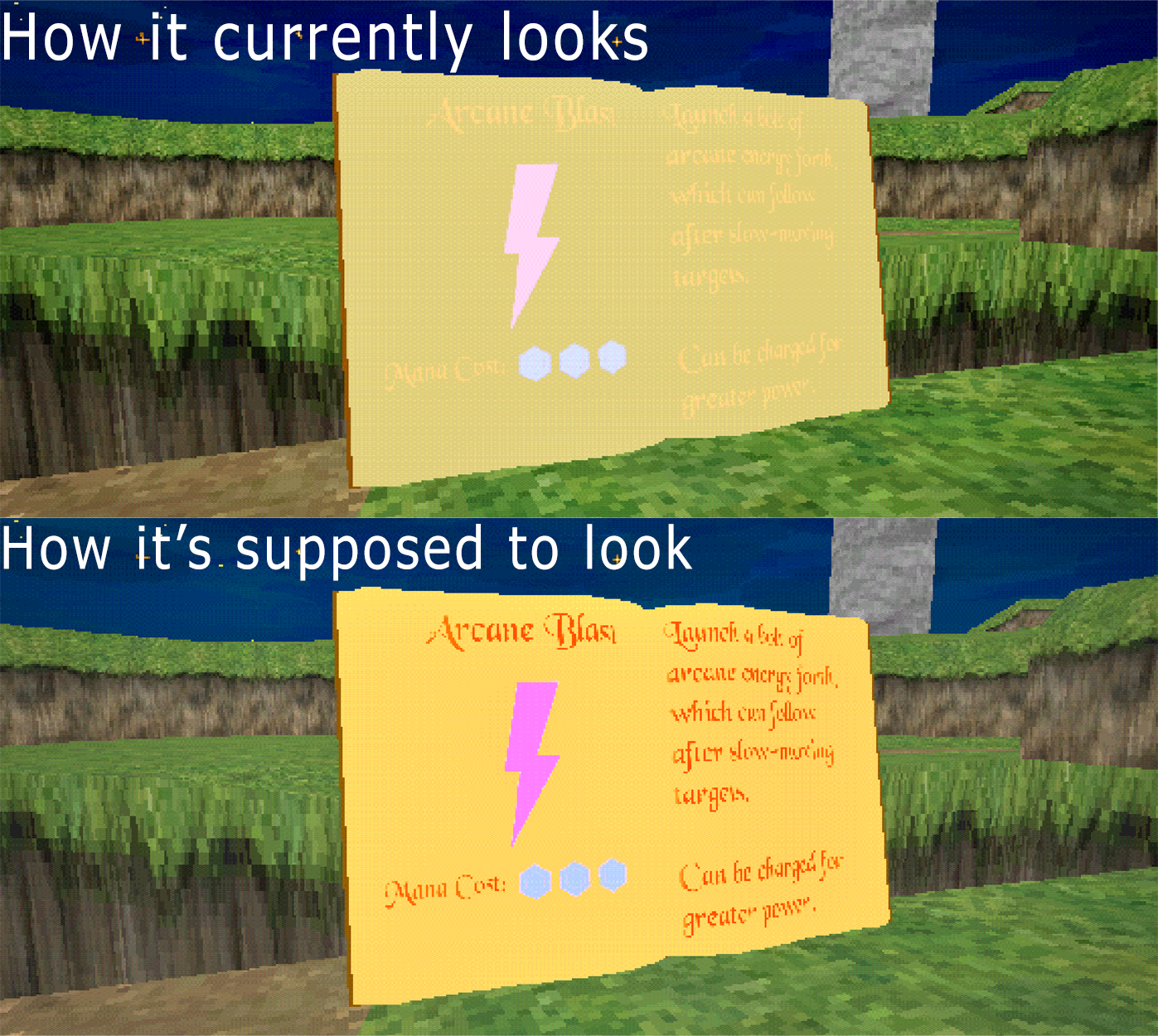
UI Spell Book
Figured out how to project a UI widget through a decal and onto the spell book.
Problem: The spell book pages have to have emission, the decal is technically transparent, meaning the page emission is blowing out the decals. I honestly spent probably 4 hours straight today just trying to get the decal to not be effected by the emission. Unless I'm missing something then there's only one other way I can think to do it, but it would involve having a finished 'book' mesh with a large portion of the unwrap dedicated to the pages.
03/25/2026
CURRENT TASK(S) UPDATES:
Menus (Title Screen, Pause)
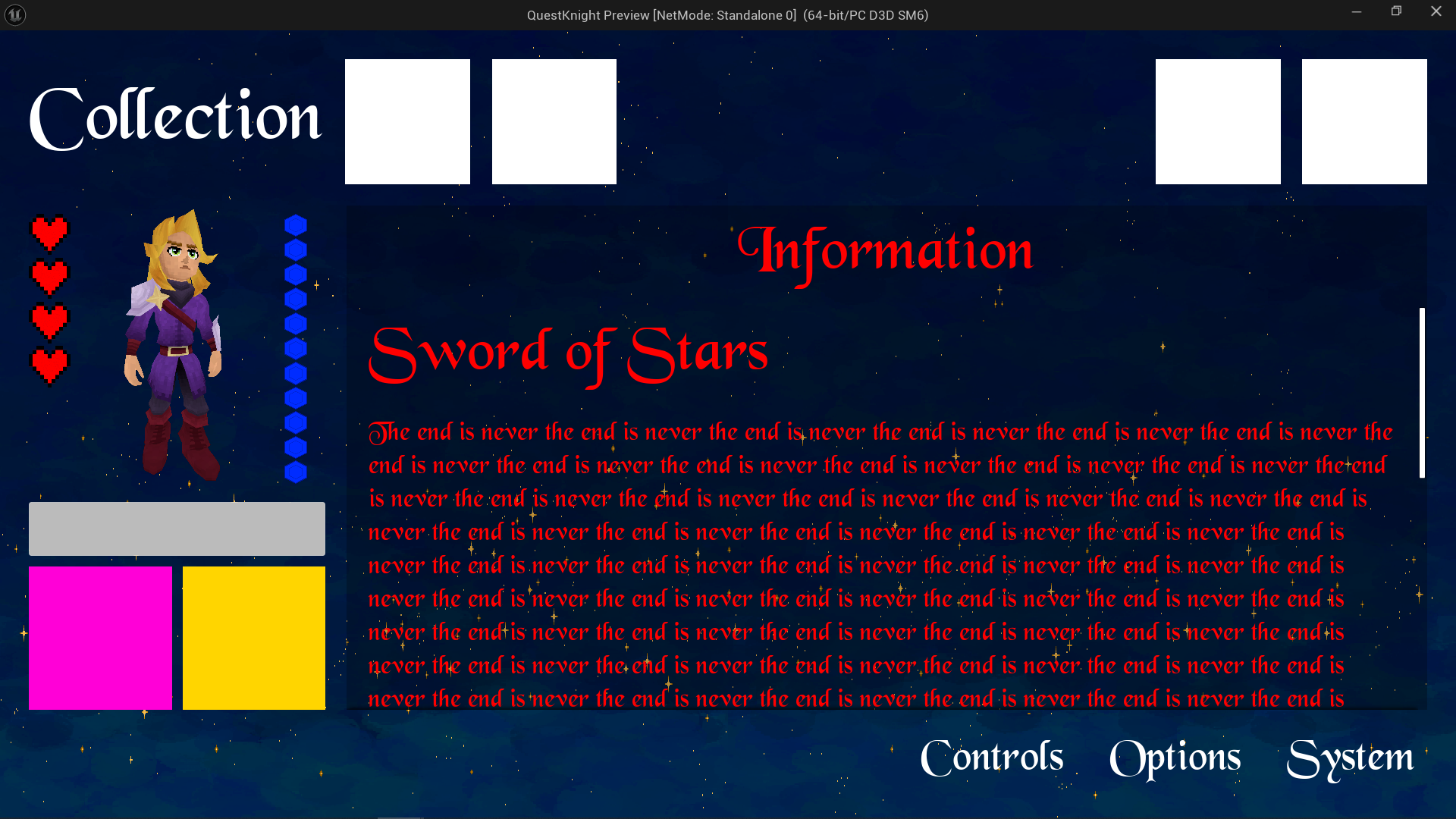
Title Screen
Implemented the new design of the title screen.
Added SFX to buttons being hovered and pressed.
Text on buttons change when highlighted.
Pause Menu
Built new pause menu.
Spent a lot of time figuring out how to assemble the sections correctly to allow for automatic element scaling at any resolution.
Live character model viewer window.
Still need to implement the functionality of certain features, but with the foundation essentially complete.
03/22/2026
CURRENT TASK(S) UPDATES:
Menus (Title Screen, Pause)
Pause Screen and Main Menu
Started the foundations for the pause and main menu screens.
Created several customizable widgets for easier additions.
Pause menu is implemented into the HUD itself rather than being it's own separate WBP.
REMOVED the ability to close the editor by pressing ESC, as this key was needed for the pause menu.
Main menu Hivemind Labs button.
I'll need some semi-detailed notes as to exactly what the layout for the screens should be, it looks hella ugly right now, but I didn't want to beautify it unless I was doing so in the right direction (ex. Controls screen).
Still need to implement controller interactions for the pause and main menu screens.
03/13/2026
CURRENT TASK(S) UPDATES:
‘Modern’ Camera & UI Aspect Ratio Bars
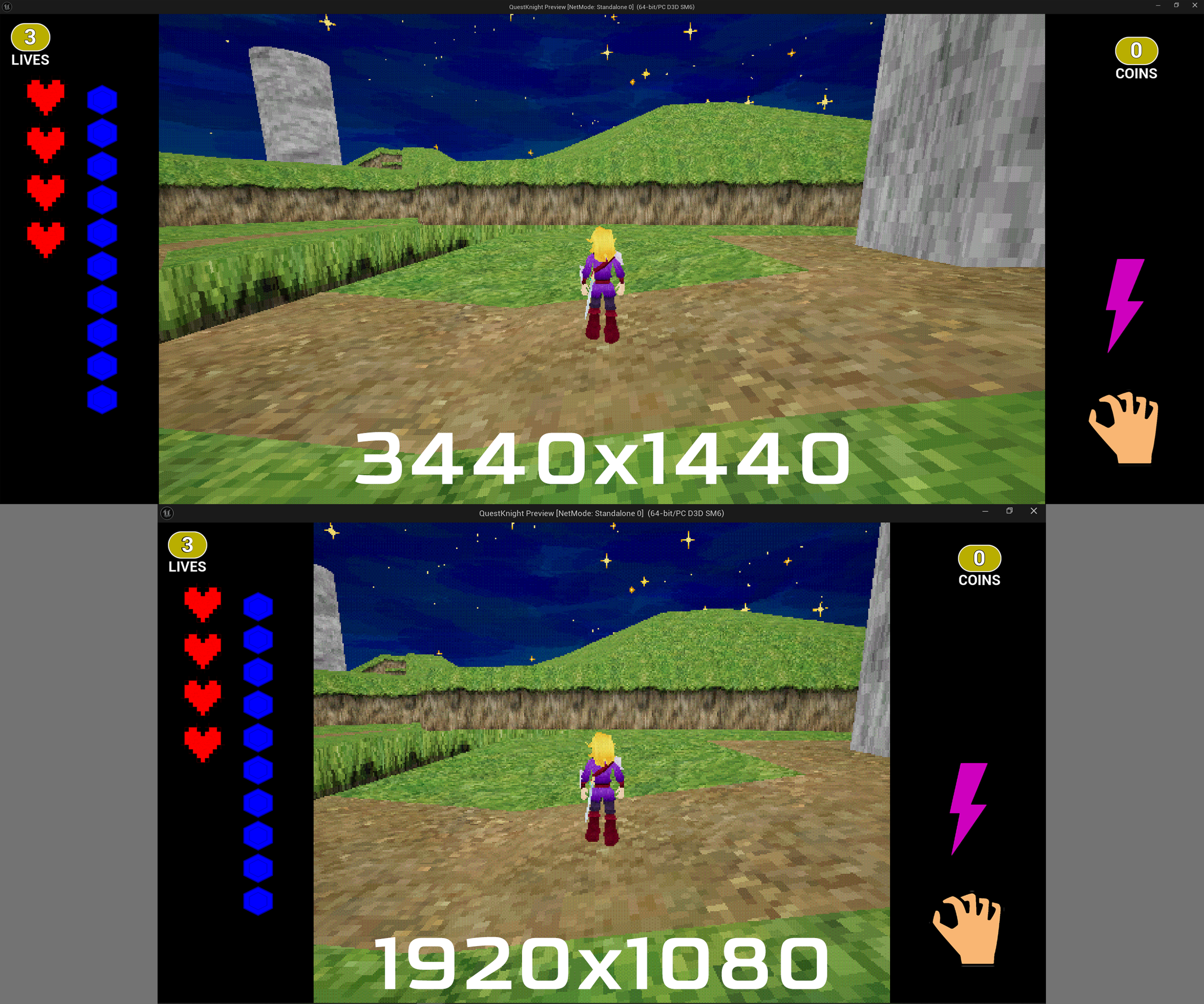
‘Modern’ Camera Mode
Added a new camera mode that allows the player to look around with their mouse (like a traditional third person shooter).
Integrated it properly with the lock on system and combat.
The original 'Ocarina' mode is still in there, you can toggle between both camera modes easily by hitting the 'BACKSPACE' key.
Still needs some work, some elements that relied on the spring arm lag still have to be remade for the new camera mode.
UI Aspect Ratio Bars
Added black bars on either side of the screen and put HUD elements within them.
Original request was to change the camera aspect ratio itself, however this could not be done as it would make the bars separate from the UI itself, which would cause clipping and inconsistencies at different resolutions.
Wall Jumping
Recreated the wall jumping system.
To wall jump you MUST be facing a wall while falling after a jump, this will cause you to slide down it until you jump off.
You CANNOT have a weapon in hand while wall jumping.
BPC_Mobility
Spent a lot of time cleaning up the BPC_Mobility component and getting it out of it's "testing" phase.
03/10/2026
CURRENT TASK(S) UPDATES:
Wall Jumping & BPC_Mobility
HUD
UI element for the current item in player's hand, or lack there of.
UI element for that tracks the player's current focus actor.
UI element for the player's current active spell.
BPC_SpellCasting
Added an array for the current available spells for the player/characters. Also added their current 'active spell'.
Added the ability to cycle between your available spells. LEFT AND RIGHT D-PAD on controller or '2' on keyboard.
Current active spell will trigger for the charged spell attack.
BPC_FocusTarget
Focus lock will break when the target is dead and there is no other targets to lock to.
03/09/2026
CURRENT TASK(S) UPDATES:
HUD, BPC_SpellCasting, & BPC_FocusTarget
03/07/2026
CURRENT TASK(S) UPDATES:
HUD, Mana System, Death Drops, Sword Magic Charge
HUD
Player can now climb around both inner and outer corners. Works for both wall climb and ledge climb.
Some smoothing was put in place to transition around corners.
Did some tests and corrections to help prevent attacking from interfering with climbing and vice versa.
Mana System
Mana system that is separated from the old coin method, now lives in BPC_Health.
Added orb pick ups that replenish your mana.
Death Drops
Characters are now capable of dropping pickups on death, the amounts can be edited with their 'dropsOnDeath' map variable.
Added a small delay window after a pickup spawns so it doesn't immediately get sucked into the player.
Sword Magic Charge
Testing a charge material build up on the sword, still very early in development
To test this, initiate a charged spell attack and release.
03/05/2026
CURRENT TASK(S) UPDATES:
Double Jump Expiration, Pickup System, UI, Heart Containers
Double Jump Expiration
This is essentially a timer before double jump is no longer allowed while the player is in air.
This time can be edited in the player character with the float value 'timeBeforeDoubleJumpExpires'.
Pickup System
Updated the pickup system to be a bit cleaner to work with.
Started working on the 'Mana' pickup and have added it to the power up roster. Still needs the functionality that is currently stored in the coins.
Switched the pickup sounds from multiple sound cues to a single MetaSound.
UI
UI is getting a massive rework.
Created a easily editable WBP that can be used for multiple different information displays, currently used for the Lives and Coins.
Heart Containers
Switched the health status from a progress bar to individual health containers.
The value of each health container is currently 25 (can be edited), but it's best if we continue to have damage values be in increments of 25 across the project.
Everything is automatic and scalable, heart containers will automatically adjust based on the player's current and max health.
03/04/2026
CURRENT TASK(S) UPDATES:
Double Jump, Air Dash, Charge Up Spell Attack, Ledge Climbing, Attacks
Double Jump
Player is now capable of double jumping.
A toggleable bool has been added named 'canDoubleJump'.
Double jump resets on landing.
Faked coyote time by manipulating the amount of jumps to 3 instead of 2 when double jumping.
Air Dash
Air dash that uses the same input as dodge.
Can be chained with double jump.
Air dash resets on landing.
Charge Up Spell Attack
New 'Ranged Spell Attack' has been added to BPC_Attacks.
Spell attack charges up similarly to how the melee charge attack does.
MUST be locked on to a target to be able to perform a spell attack, this will be changed in the future, but the locking camera over the shoulder thing is a bit complicated as well as aiming.
Perform spell attack by holding RIGHT TRIGGER or RIGHT CLICK.
Ledge Climbing
When grabbing a ledge, the character will automatically face the surface they are grabbing onto.
Taking damage while climbing will make you let go.
The check for if there is a ledge to grab is triggered by the APEX of your jump, meaning, if you walk off a ledge without jumping first, then it will not trigger.
You CANNOT climb while a weapon is in your hand.
Attacks
Blocking as been removed as it was using the input that spell attacks now do.
Holster/Unholster input has been added to controller inputs, currently set to D-Pad UP.
If you press the attack button when you are without a weapon in hand, then this will for the 'Holster/Unholster' event.
03/02/2026
CURRENT TASK(S) UPDATES:
Frog AI Behaviors & Ledge Climbing
Frog AI Behaviors
Fixed frogs going their attack targets previous location instead of the current location.
Fixed frogs not being able to path around obstacles.
Frogs are now generating points on the nav mesh and moving to their location. Previously they were moving to the overall 'goal' location.
Ledge Climbing
Initial tests with setting up traces and a new 'BPC_Mobility' component. The goal with this is to make any ledge (fitting a certain criteria) climbable, nothing outside of the BPC will be needed.
I disconnected this before I pushed so it doesn't mess with anyone pulling from my branch.
02/28/2026
CURRENT TASK(S) UPDATES:
Bug Fixes, Camera System, & Attacks
Bug Fixes
The landing sound effect will no longer trigger during lunges, should now only trigger after the player has truly fell.
Line trace visual debugs have been disabled.
Camera System
Fixed bug with 'camera lock on' where it would occasionally start way too zoomed in.
Added a camera rotation offset that will put the camera in more of an more angled view relative to the player and their focus target. It will also favor which ever side of the player it ends up on while the player moves around.
There is also a variable named 'cameraRotationOffsetWhileFocused', editing this value will change the offset angle.
BPC_Attacks
Added 'Disable Movement' event dispatcher to stop movement during attacks, previously this was relied on by 'On Attack Update'.
Long jump attack animation has been updated to the newest version.
Ground Slam Attack
Ground slam check (within the BP_PlayerCharacter) has been redone to better control conditions allowing it's activation.
Ground slam now has a briefly delay after landing where the player will not be able to move, this was done to prevent attack spam and make it feel heavier.
Forward Arcing Leap Attack
New attack that arcs the player towards the enemy they are focused on and delivers an overhead strike upon landing.
Attack is activated while you are locked on to an enemy, have a weapon in hand, and press the 'Jump' button.
Sword Impact VFX
Added the current test version of the NS_Blast effect to sword hits.
This can be toggled off and on by selecting the BPC_Attacks component in the player and toggling the 'Sword Impact VFX' boolean in the Details panel.